Day 7: Result Events
Typically we try to keep the efforts at 5-10 Minutes.
You’ll find complete implementation for day-7 in the git-repo on the branch “day-7”
https://github.com/dilgerma/eventsourced-quiz
Welcome
Yesterday, we generated all Command Handlers.
Today, we will take care of the resulting Events.
Step 1: Generate Union Types
First, we generate the Union Type for all Events
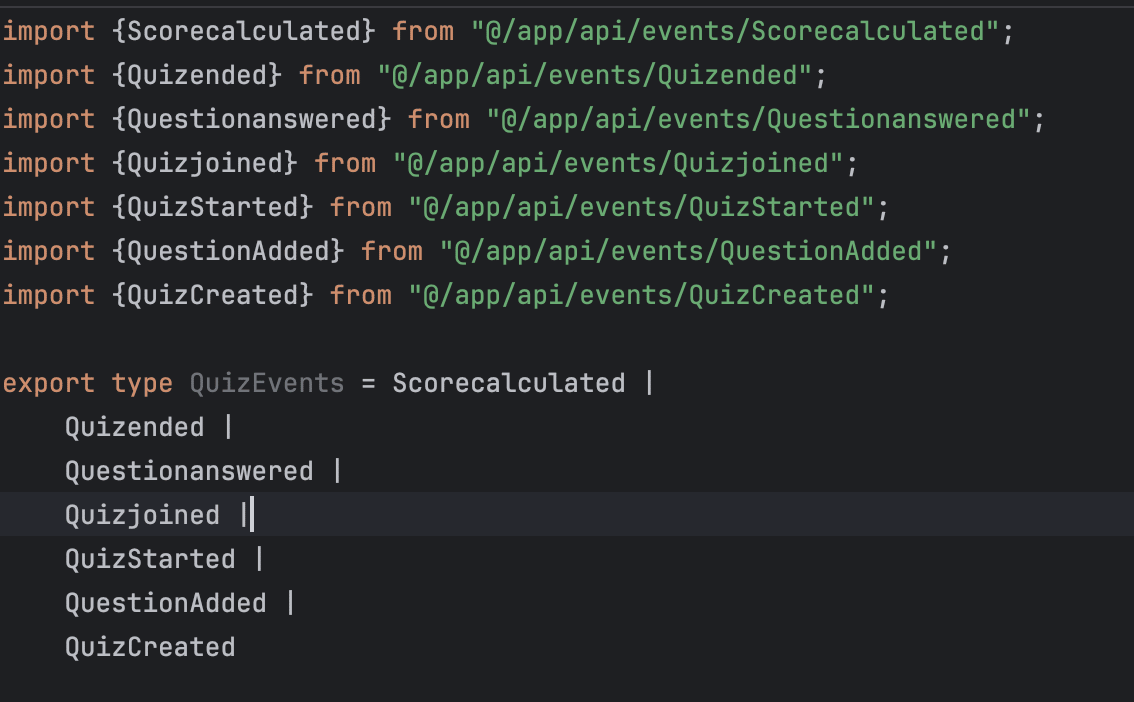
For this we define a new function “renderUnionTypes”
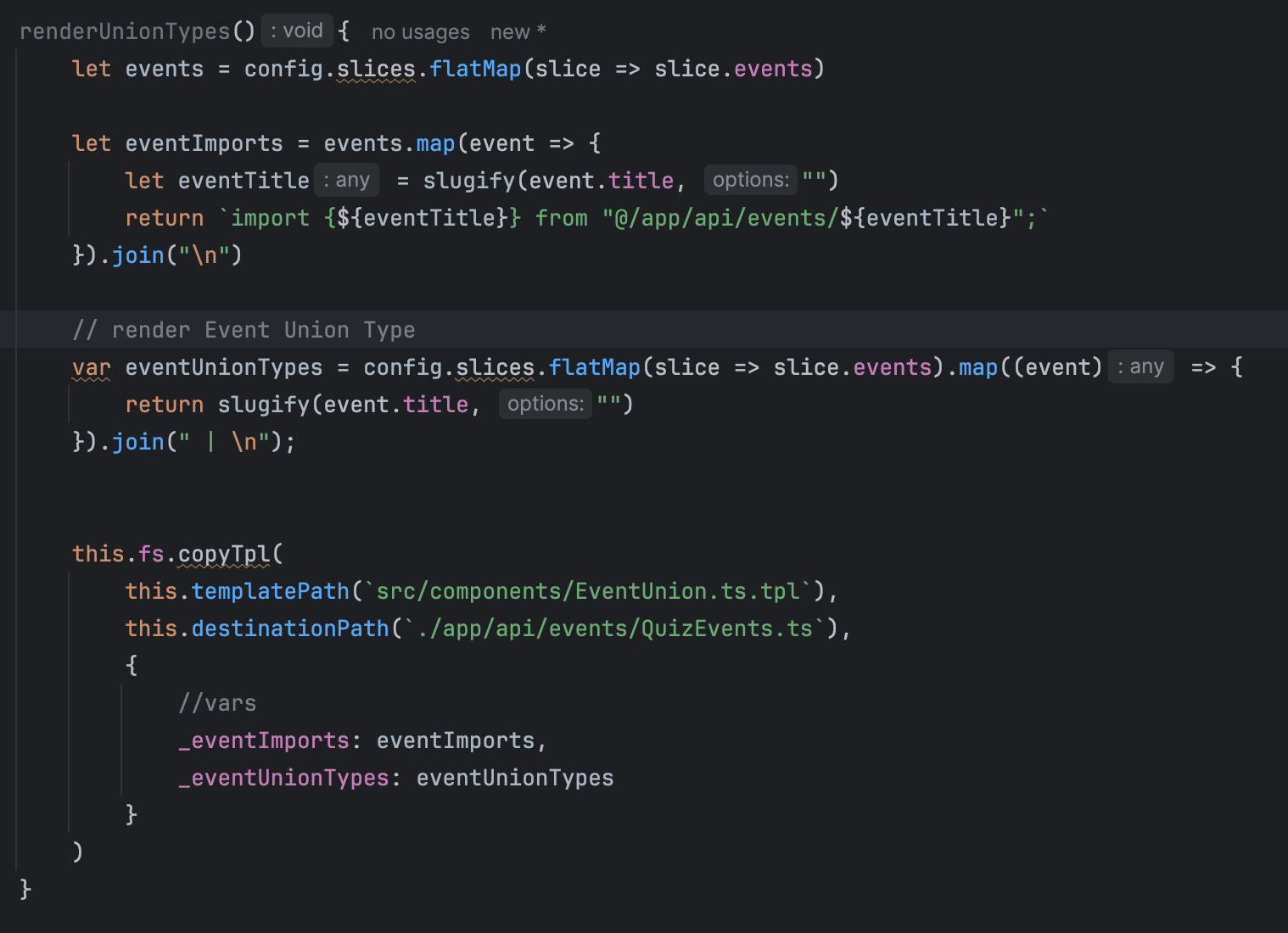
Step 2: Adjust Command Handler Template
We’ll adjust the Command Handler Template to return a list of Quiz Events.

Step 3: Apply Resulting Events
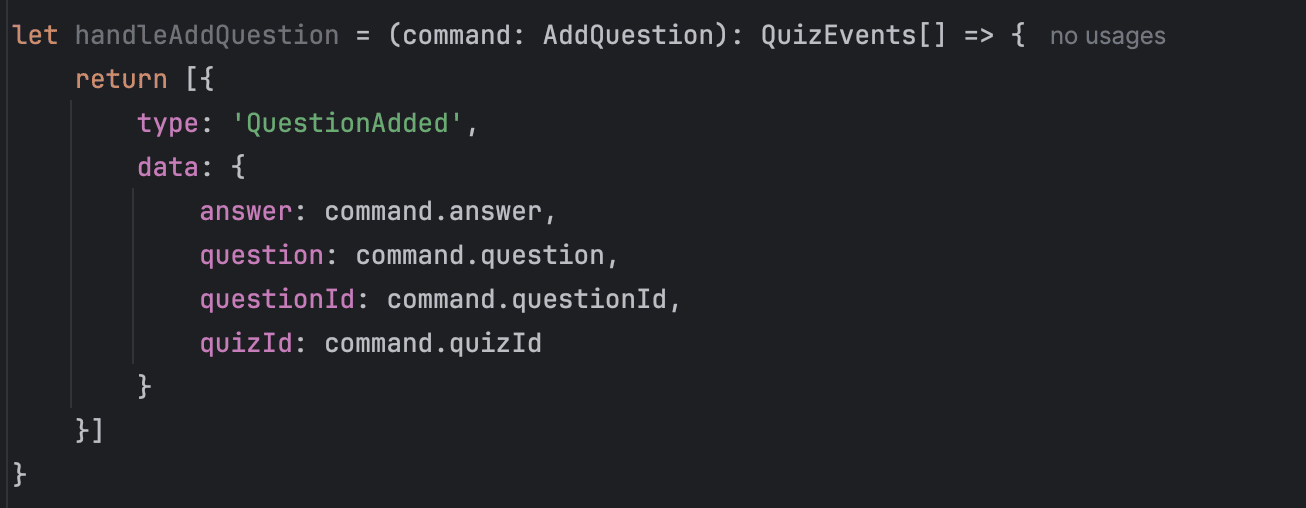
Now the goal is to apply the resulting Events from the Configuration. It should look like this doing simple assignments from the command to the event.
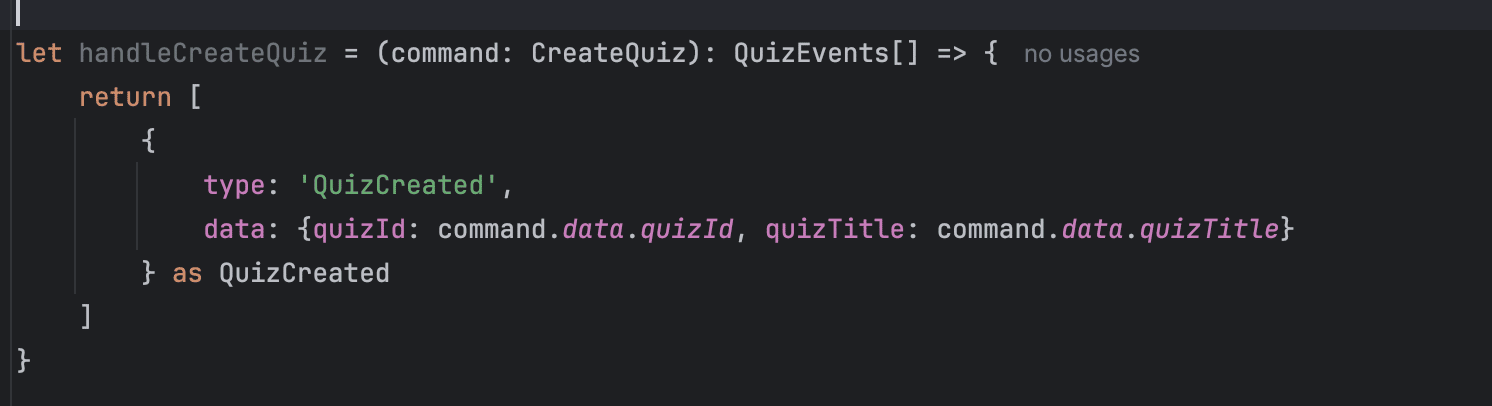
For this we’ll adjust the ‘generateCommandHandlers’ function.
First we find all ‘OUTBOUND’ Events, meaning Events that are created from the command. Every element has a “dependencies” array, with all ‘INBOUND’ and ‘OUTBOUND’ dependencies. An ‘INBOUND’ Dependency could be an Event connected to a Read Model.
Dependencies share the same id as the original Element. So we can just search all Events for the correct id to get the full Event (dependencies themselves only contain very few informations)
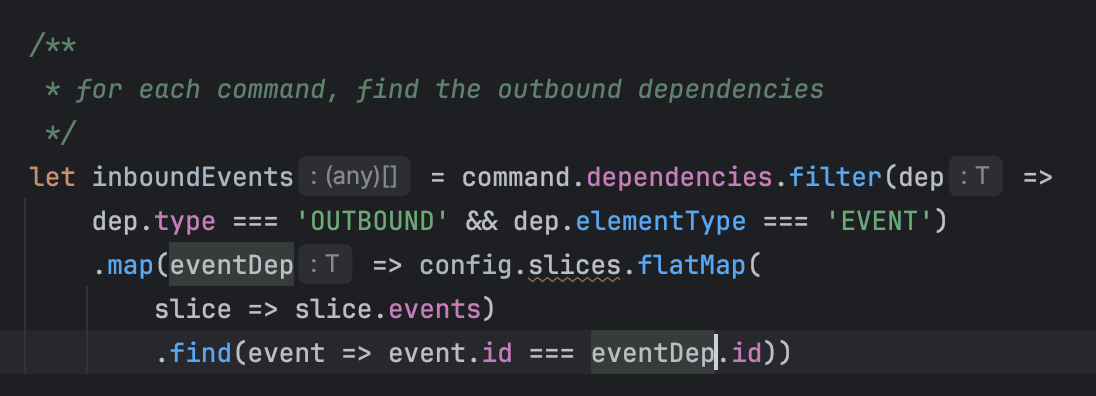
Step 4: Build Result Event List
Using the Inbound Events, we can now just build the result event list by simply deconstructing the target implementation defined earlier.
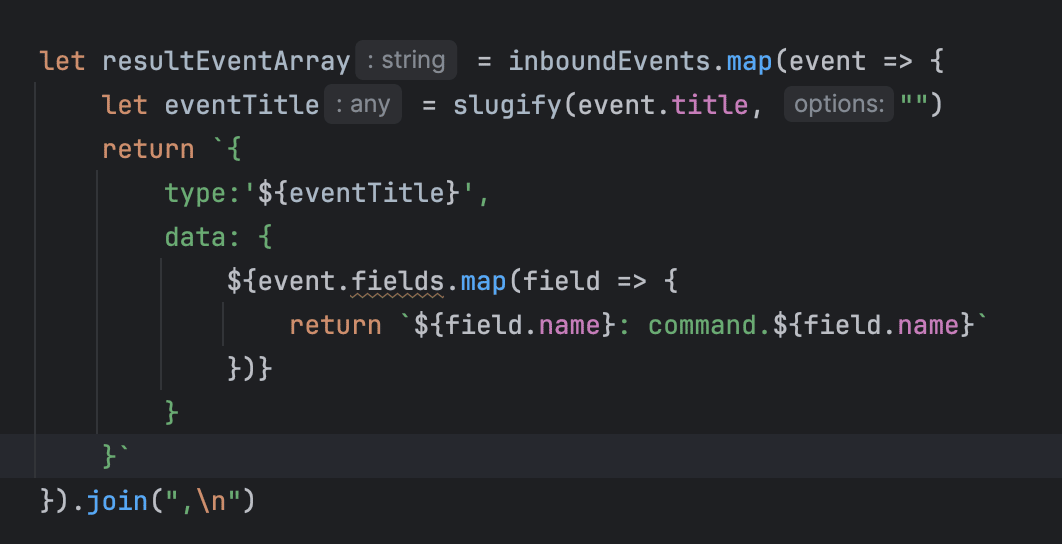
Step 5: Apply to Command Handler
In the last step we are applying the resultEventArray to the command handler.

Final Result
And in the end we have a full list of command handlers including resulting Events.
Summary
Of course there is no validation logic and some Command Handlers will require small manual adjustments, but overall that saved us a lot of time.
This was propably the most complicated part, using the dependencies to build up complete Command Handlers. But I hope this exercise was worth it. Checkout the implementation on the “day-7” branch and play with it.
Hint - the generated code here does not care too much about formatting. I often do the formatting once directly in the Development Environment.
Tomorrow we will put these Command Handlers to work.
Tools you need
- Git: https://github.com/dilgerma/eventsourced-quiz
- Accelerate Miro Toolkit: https://miro.com/marketplace/eventmodeling/
- Miro Board: https://miro.com/app/board/uXjVLDkT_FA=/
Things you should consider
If you already want to dive deeper into Eventmodeling and Eventsourcing - here are some links for you.
- Book “Understanding Eventsourcing”
- Companion Online Course - “Implementing Eventsourcing” (includes a full license of the Miro Toolkit)
- Podcast “Eventmodeling & Eventsourcing”
- Eventmodelers.de
- Eventmodeling Tutorial
Learning Eventmodeling faster with your Team - you can book me for Training & Consulting. I’m offering very flexible bookings packages, even on demand. Just answer to this E-Mail if you want to learn more.
| Previous: Day 6 - Command Handlers | Next: Day 8 - Putting It to Work |