Data Trail View
Data Trail allows you to quickly find out where information originates. Trace data as it flows through screens, commands, and events.
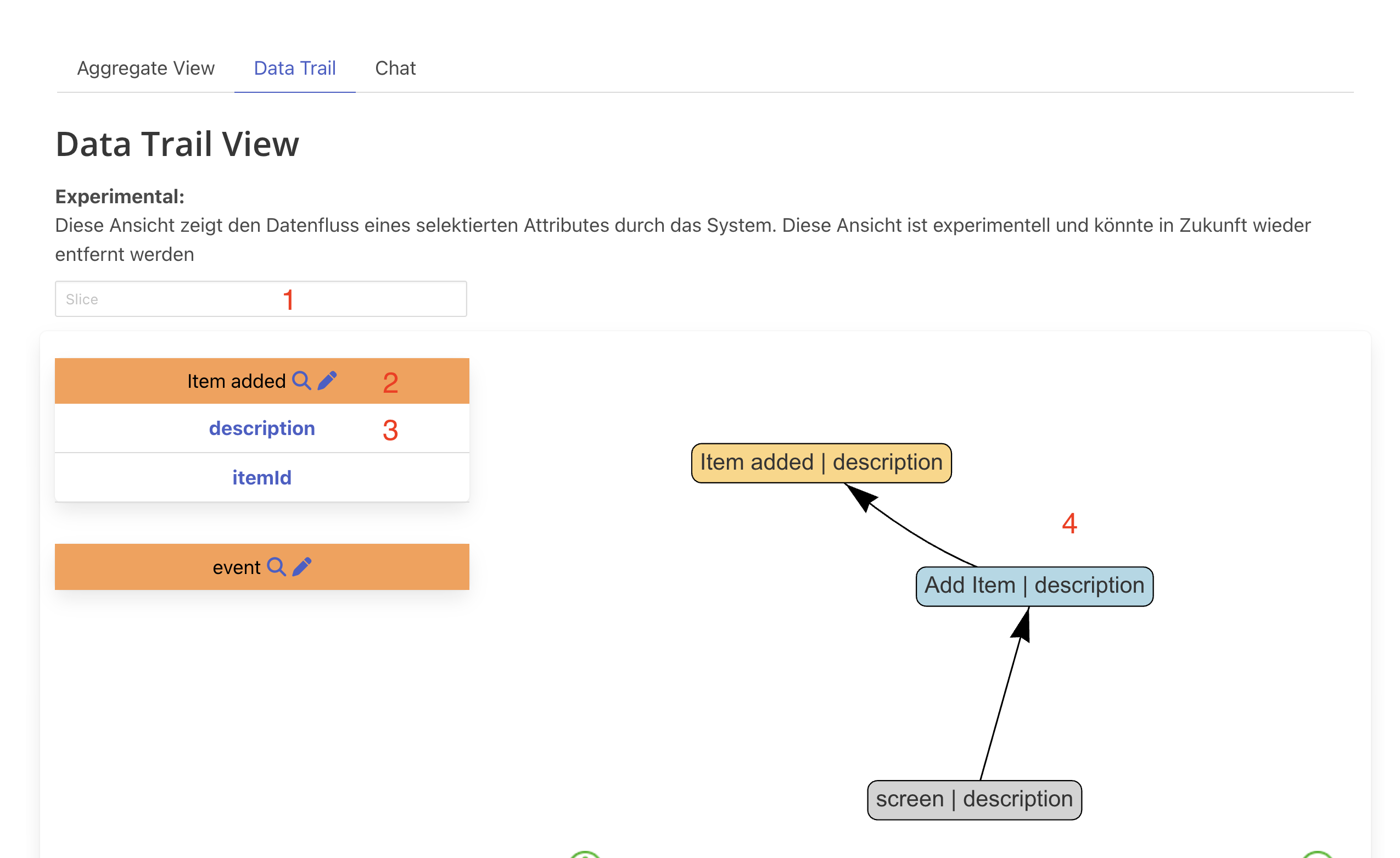
Using the Data Trail View
Steps to Trace Data
2+3) Select an attribute in an Event
- Click on any event in your model
- Select a specific attribute you want to trace
- Example: Select “description” in “ItemAdded” event
4) View the Data Trail
- See the complete trail of that attribute
- In this case: “description” in “Item added” originates from a screen
- Passed through the “Add Item” Command
- Finally stored in the “Item added” Event
Example Flow
User Input (Screen)
    ↓
"description" field
    ↓
Add Item Command
    ↓
description attribute
    ↓
ItemAdded Event
    ↓
description stored
Next Steps
- Aggregate View - View aggregates and events
- Context View - Navigate context hierarchies
- Advanced Modeling - Advanced techniques
- Event Modeling - Core event modeling concepts