Drawing
Using the Screen Drawer allows you to quickly draw screens using a simple Drawing Tool.

The tool used here is TLDRAW.
My rule of thumb is simple - never use more than 2 minutes to draw a screen. The screen in the image is perfectly fine. Typically you don´t need more details than shown here.
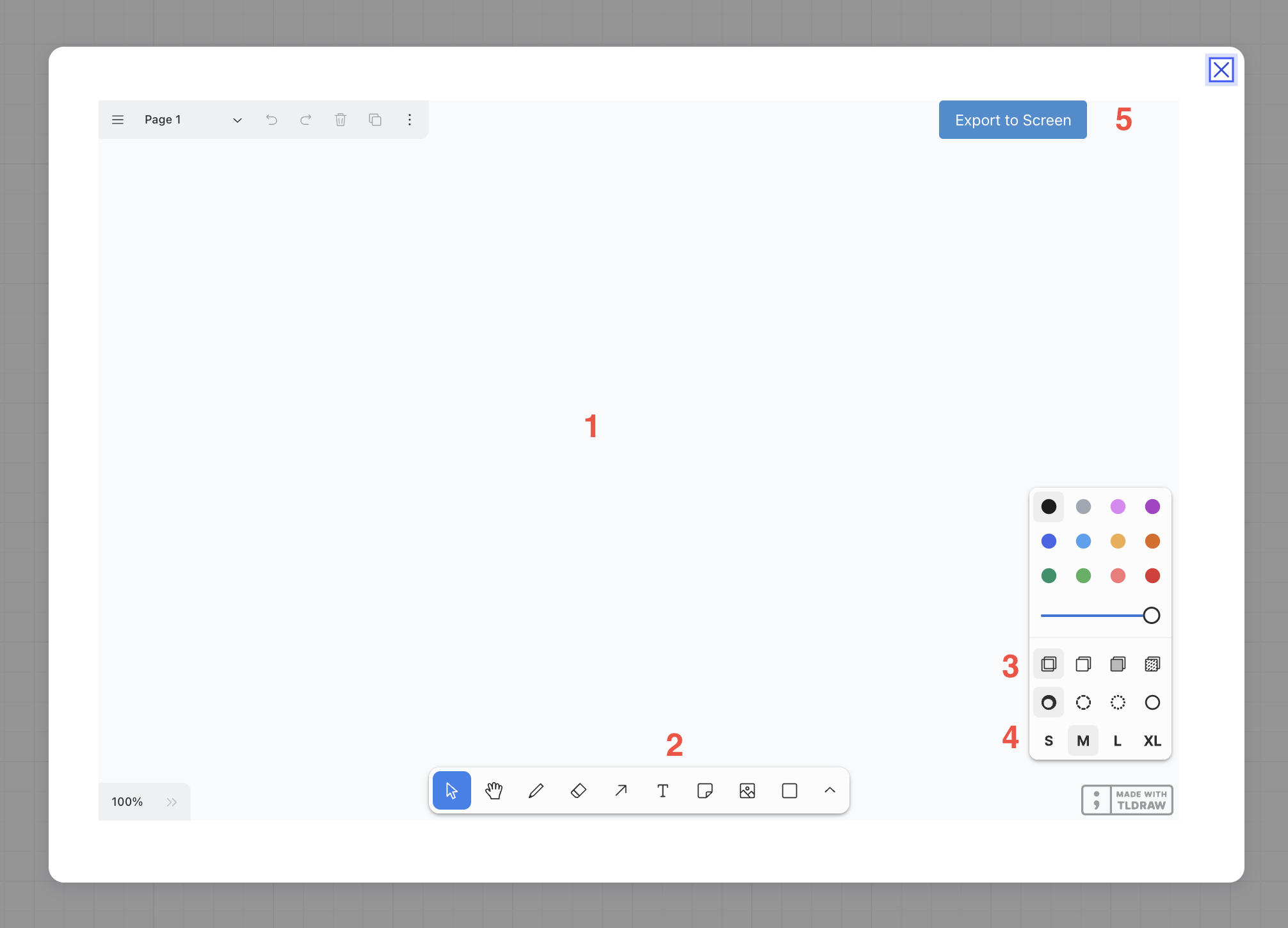
1) Canvas
2) + 3) Drawing Tools
4) Fonz Size
5) When you are done, export your screen to Miro

The exported screen becomes an Image in Miro and can be used as a regular screen. An exported Screen can be re-edited - but will always result in a new screen
So an existing screen cannot be changed anymore.
AI Drawing
You can use AI to draw screens.
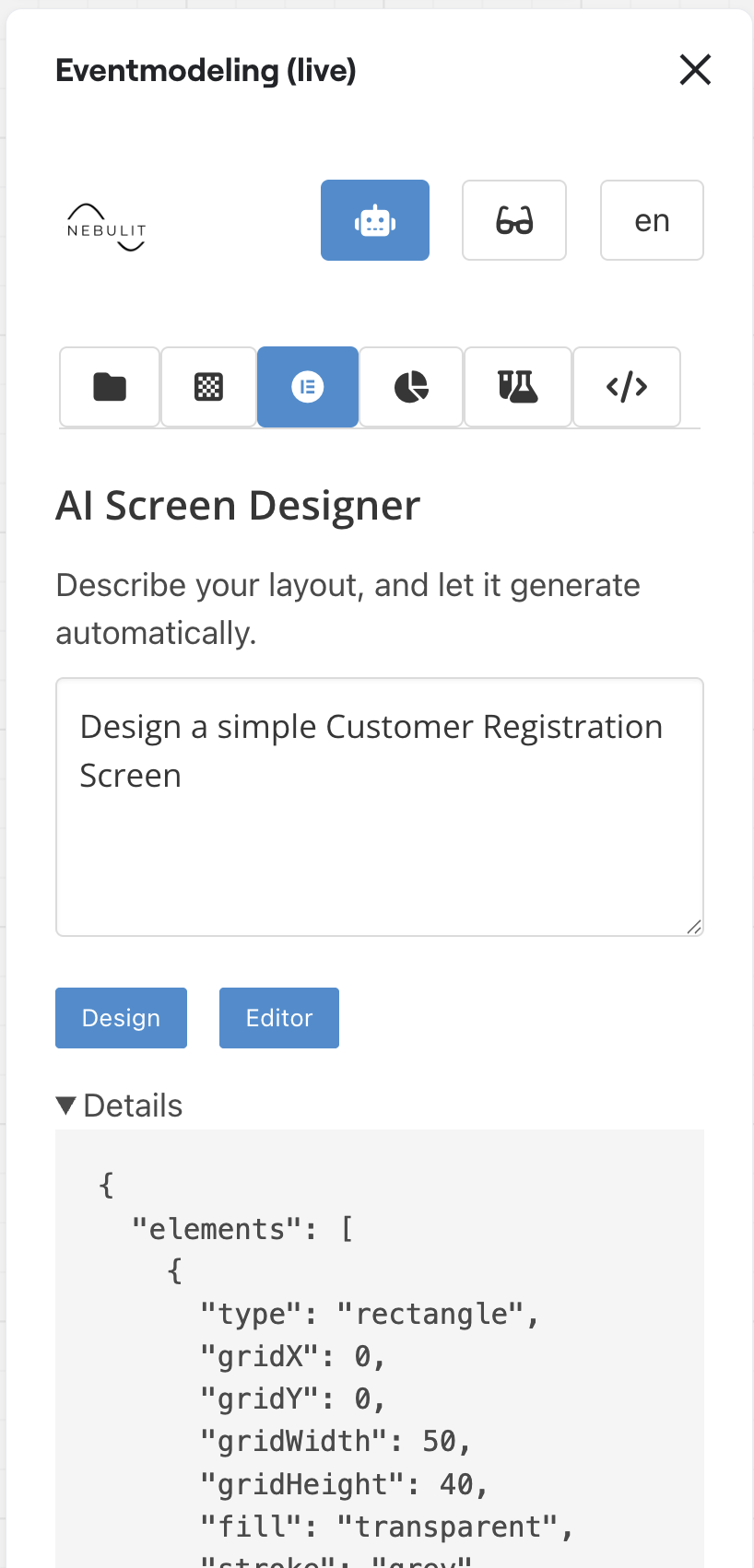
1) you can manually edit the configuration
2) Open the configuration in the Editor
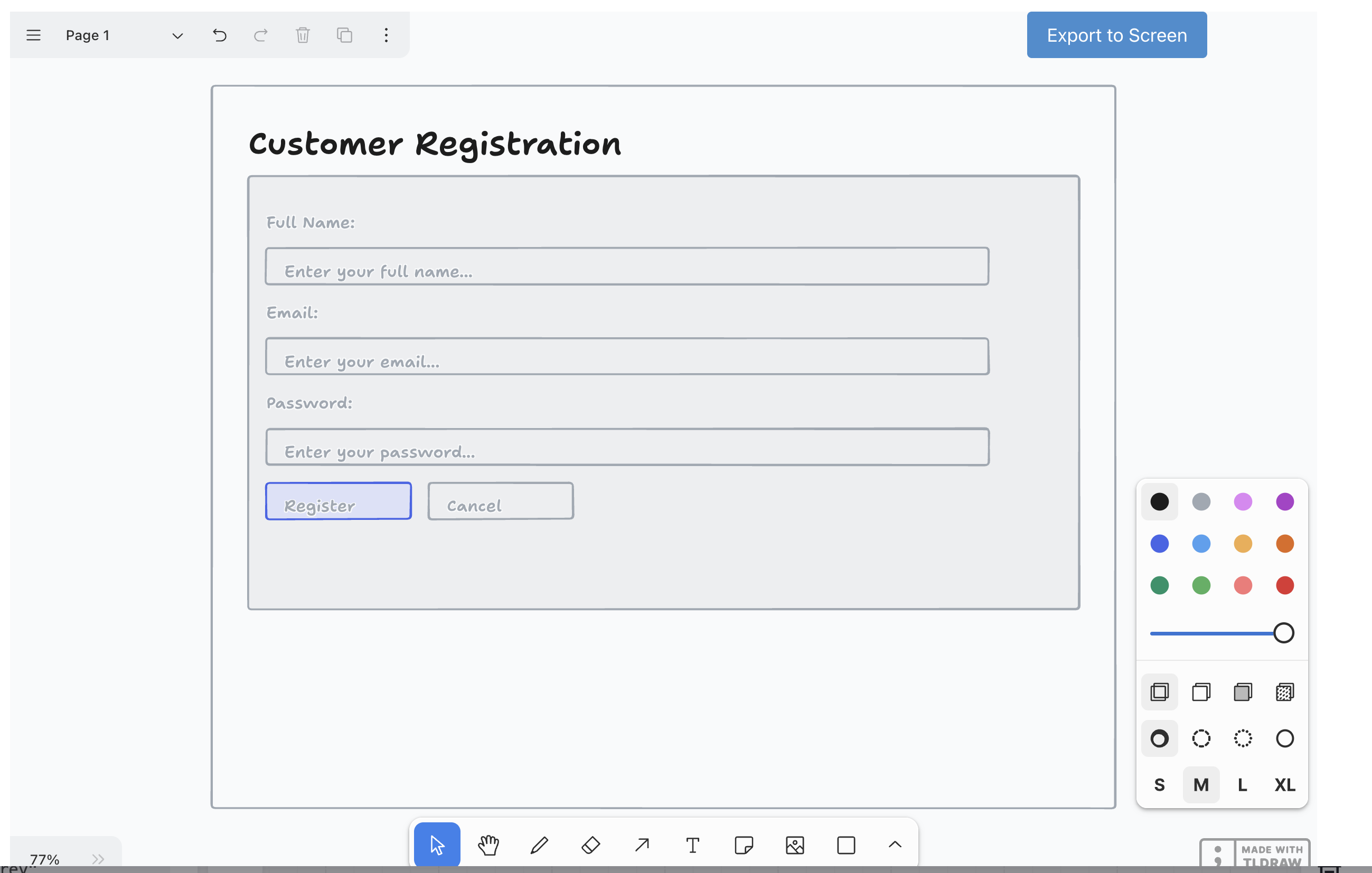
Die AI-generated Screen can be edited manually now.