Day 8: Putting It to Work
This is the final E-Mail for now.. I might add more in the future, and you will receive them automatically.
Make sure to checkout the Course to the book - which comes with a lifetime license for the Event Modeling Toolkit to use with your Code Generators.
Let’s dive in.
Typically we try to keep the efforts at 5-10 Minutes.
You’ll find complete implementation for day 8 in the git-repo on the branch “day-8”
https://github.com/dilgerma/eventsourced-quiz
Welcome
Yesterday we generated our Command Handlers. Feel free to adjust them to your liking (either in Code or preferrably adjusting the Code Generator itself). For example in a real world scenario - the command handler would need to receive the state as a List of Events, to be able to decide if the command can be executed.
The only thing we’ll do today is to put our generated code to work.
Step 1: Call the Command Handler
In the admin.tsx - just call the Command Handler, when the “Create Quiz” Button is clicked.
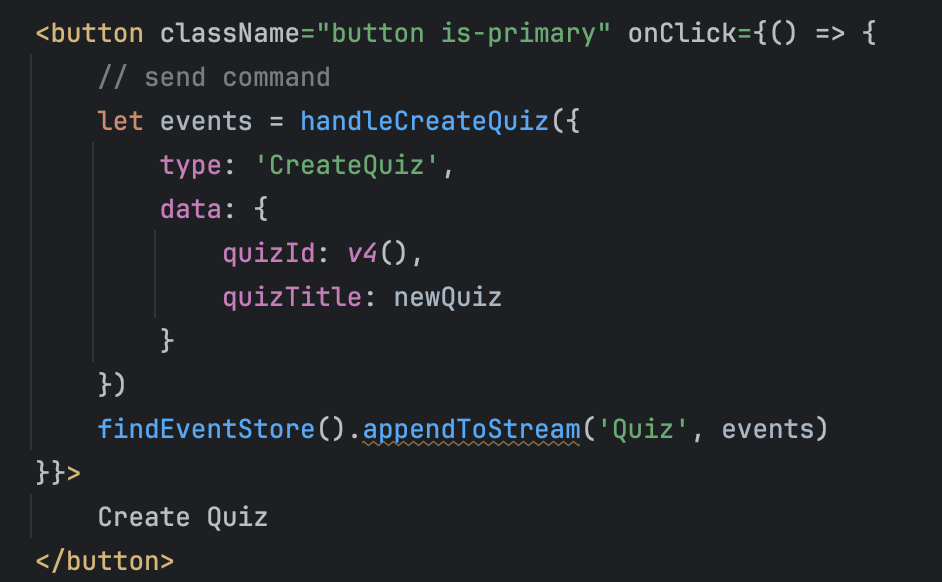
If you did not make any mistakes, you will see the applied result events directly in the Eventstore.

Step 2: Build the Projection
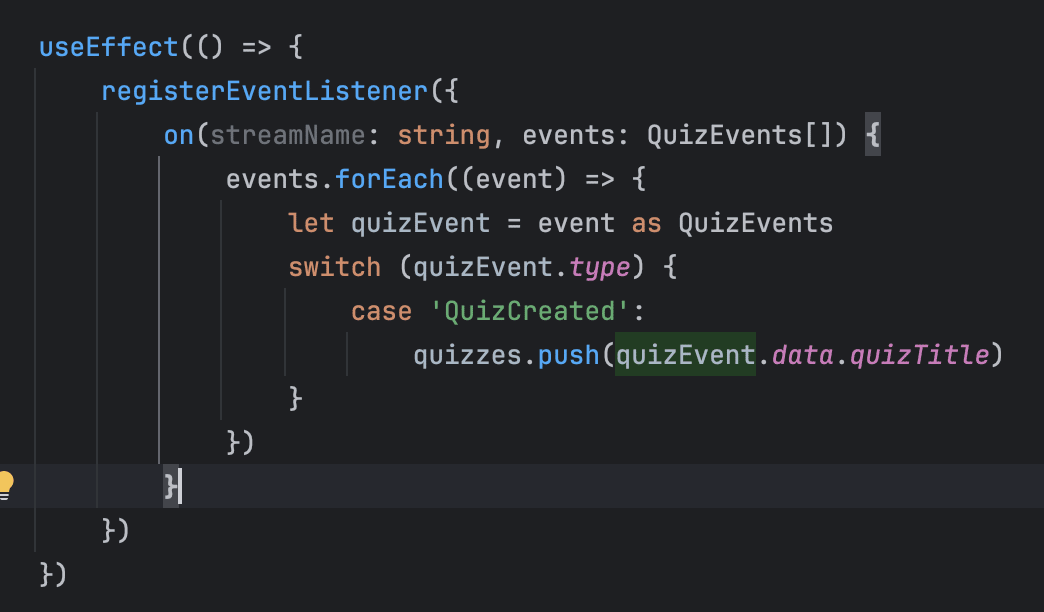
In the same File we are also building the projection for a Read Model.
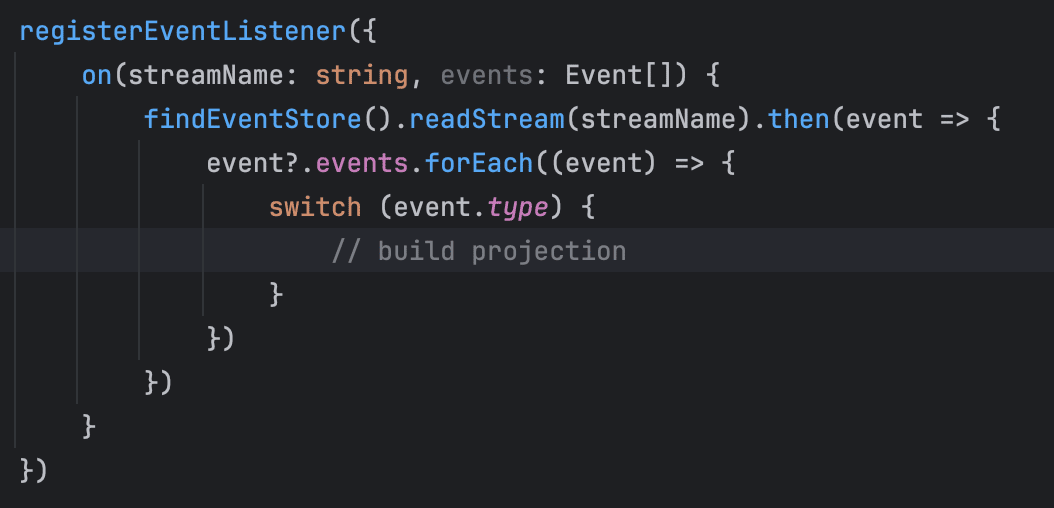
By registering an Eventlistener, the projection gets notified for new Events.
One possible implementation could look like this.
Step 3: Use the Read Model
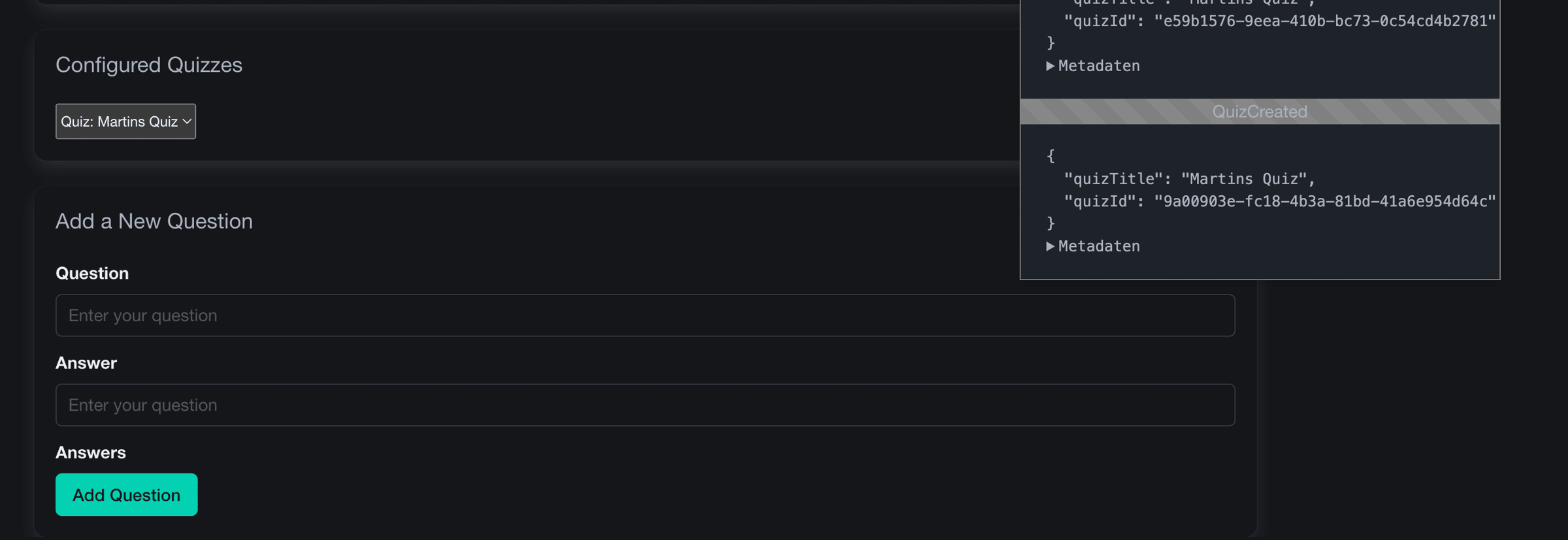
As a result you can now select quizzes to add questions.
Homework
Here is your homework.
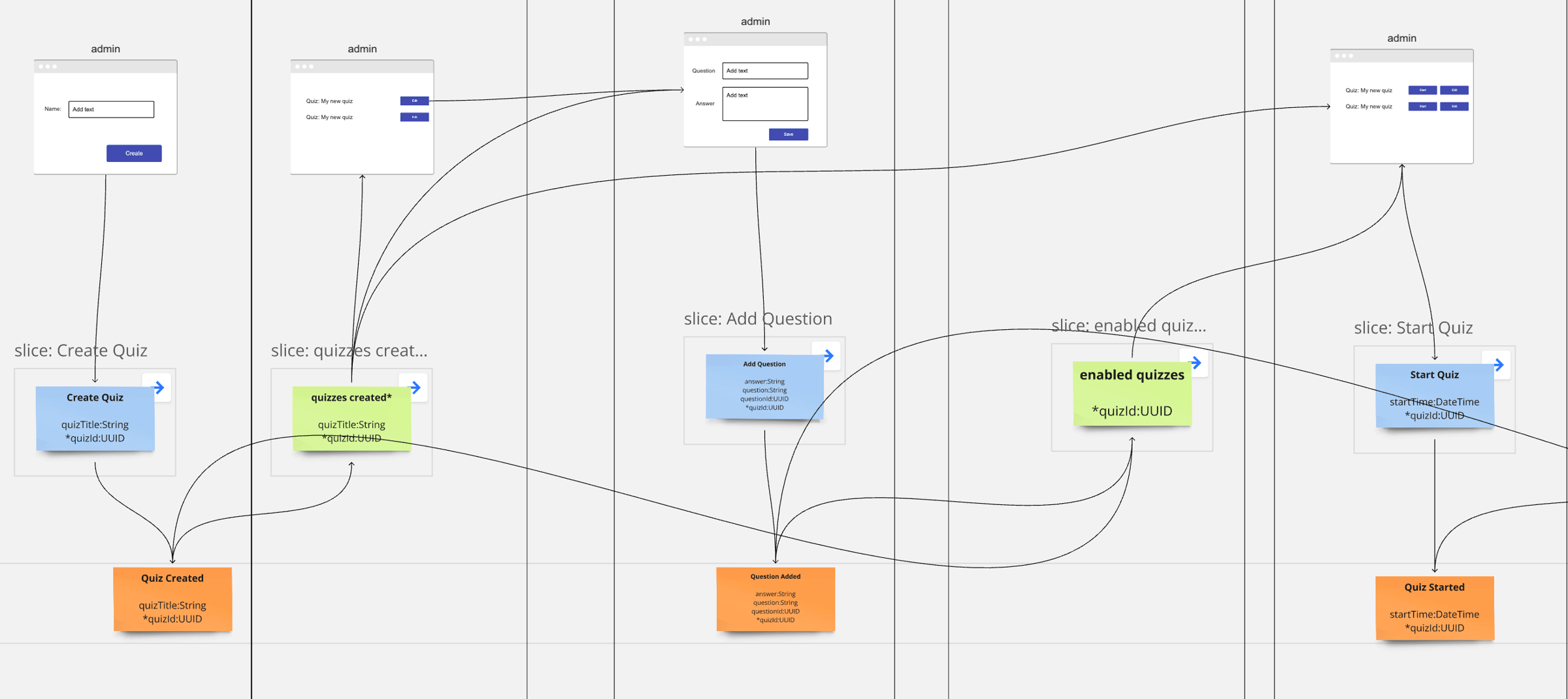
Implement the first 4 Slices of the Event Model - the admin chapter.
Final Thoughts
It was not too hard to get to this point, was it?
Writing the code generator and putting it to work is actually not that hard and could have happened within 30 minutes with a bit of experience.
Although this course was originally planned for 10 days, we’ve reached a point where you can now experiment on your own. The remaining two days are reserved for you—if there’s anything specific you’d like to explore, please let us know! Feel free to suggest topics for days 9 and 10.
Hope you enjoyed the course so far.
If you have questions, just let me know, feel free to simply answer to this E-Mail.
Tools you need
- Git: https://github.com/dilgerma/eventsourced-quiz
- Accelerate Miro Toolkit: https://miro.com/marketplace/eventmodeling/
- Miro Board: https://miro.com/app/board/uXjVLDkT_FA=/
Things you should consider
If you already want to dive deeper into Eventmodeling and Eventsourcing - here are some links for you.
- Book “Understanding Eventsourcing”
- Companion Online Course - “Implementing Eventsourcing” (includes a full license of the Miro Toolkit)
- Podcast “Eventmodeling & Eventsourcing”
- Eventmodelers.de
- Eventmodeling Tutorial
Learning Eventmodeling faster with your Team - you can book me for Training & Consulting. I’m offering very flexible bookings packages, even on demand. Just answer to this E-Mail if you want to learn more.
| Previous: Day 7 - Result Events | Back to Course Overview |