Spec View
Use this View to define Given / When / Thens in the Scenario Editor. You need to select a slice first.
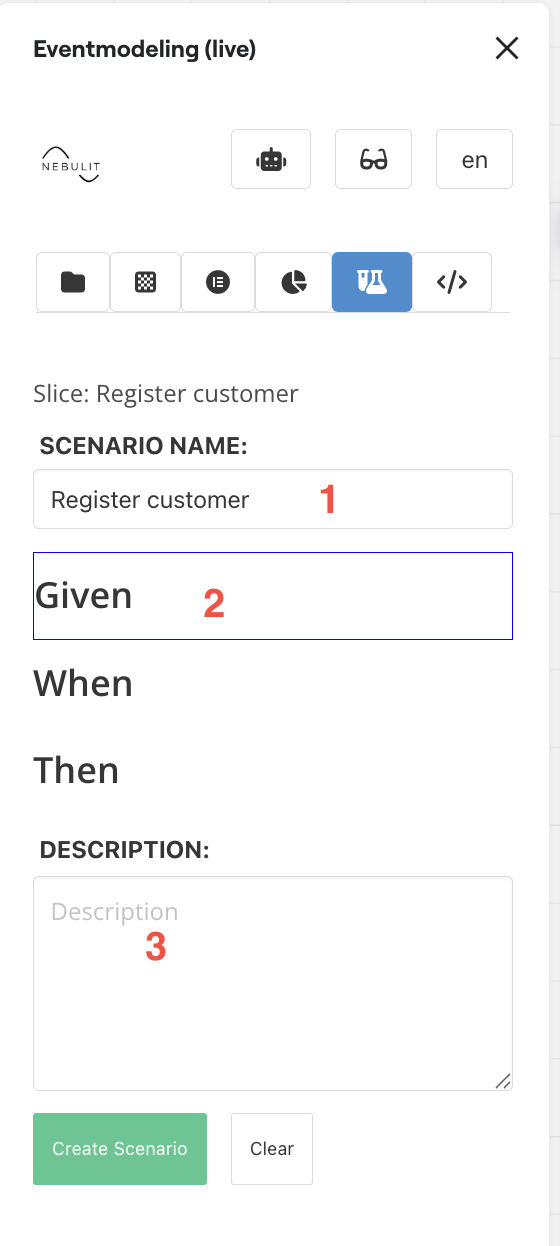
Key Features:
- Slice Title
- Select Given / When / Then and then just select the elements in the model
- Provide an additional description for the test cases, business rules covered in the specification for example.
Vertical Specifications
For Given / Thens ( Specifications for Read Models - leaving out the When Part ), you can also provide so-called Vertical Specifications.
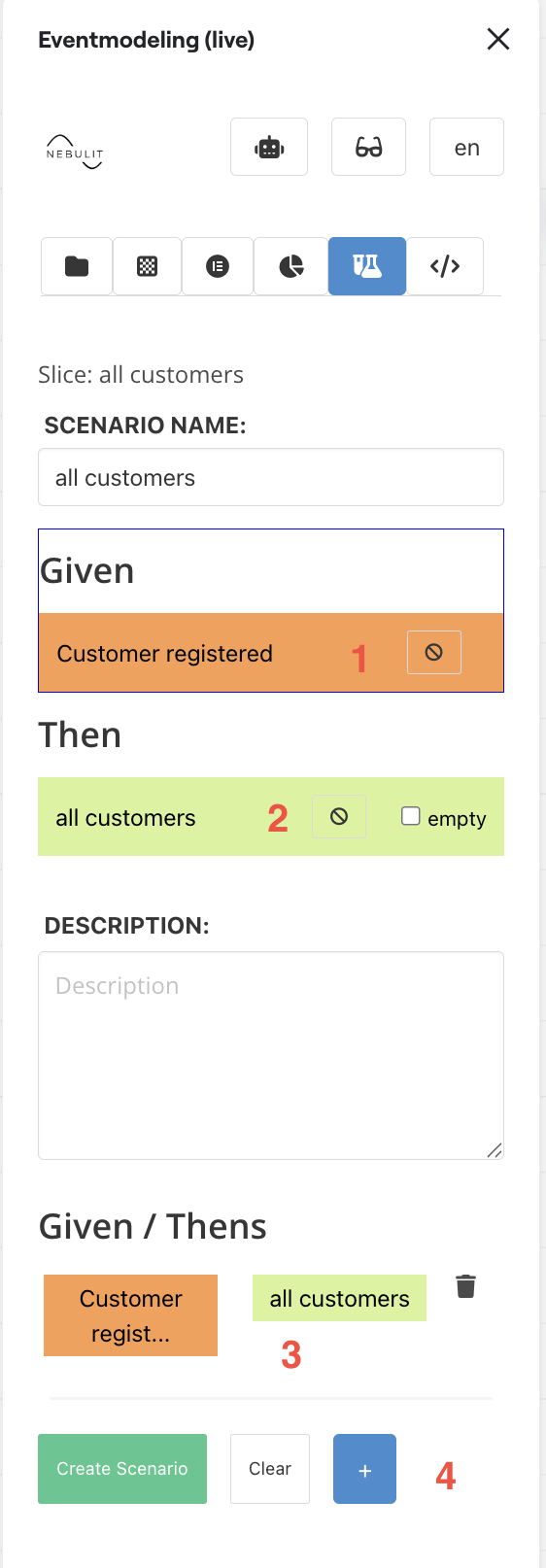
- Selected Event as GIVEN
- Selected Read Model as THEN
- Added Steps in the Vertical Specification
- Apply the current Given / Then as new Vertical Specification Step
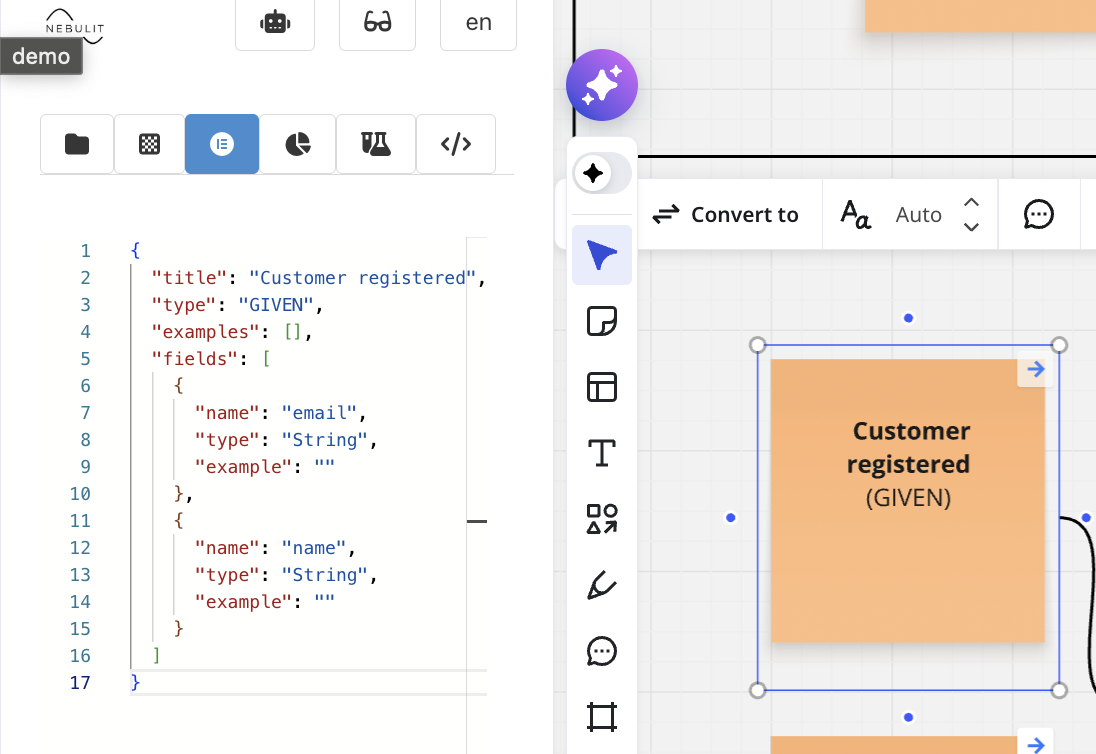
Example Data
After placing the Specification, you can select the elements and provide example data.
Expecting Errors
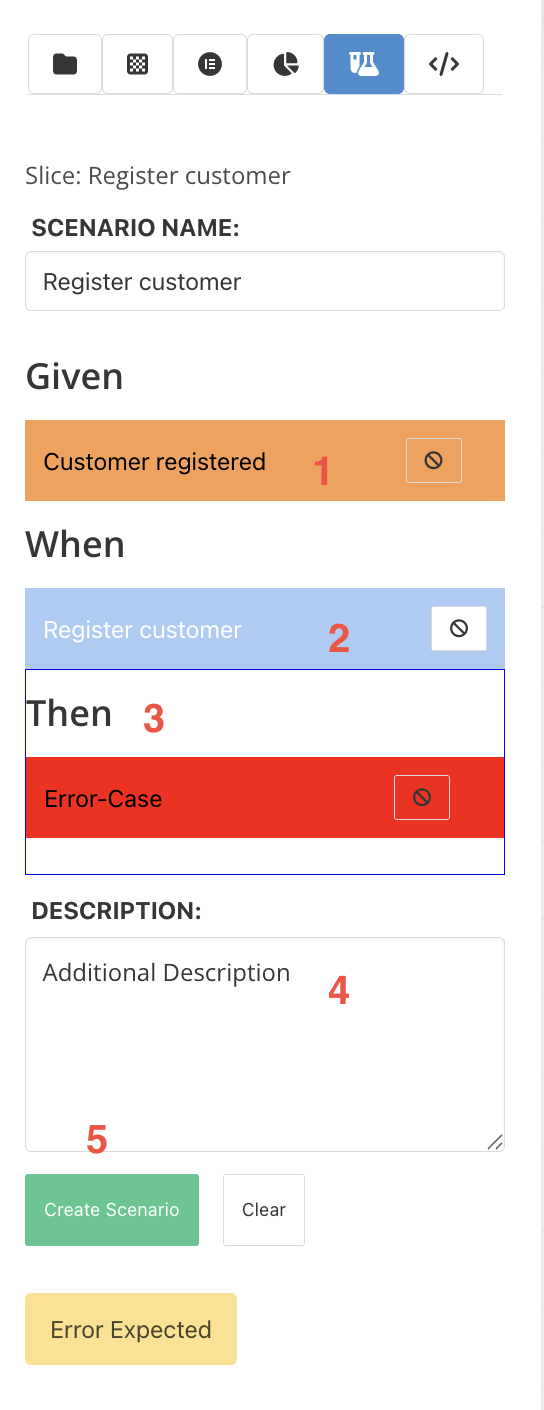
THEN can also be an error state, if you truly want to show that a certain path is not possible ( guarded by Business Rules )
In this case for the, just record an expected error with an additional description.
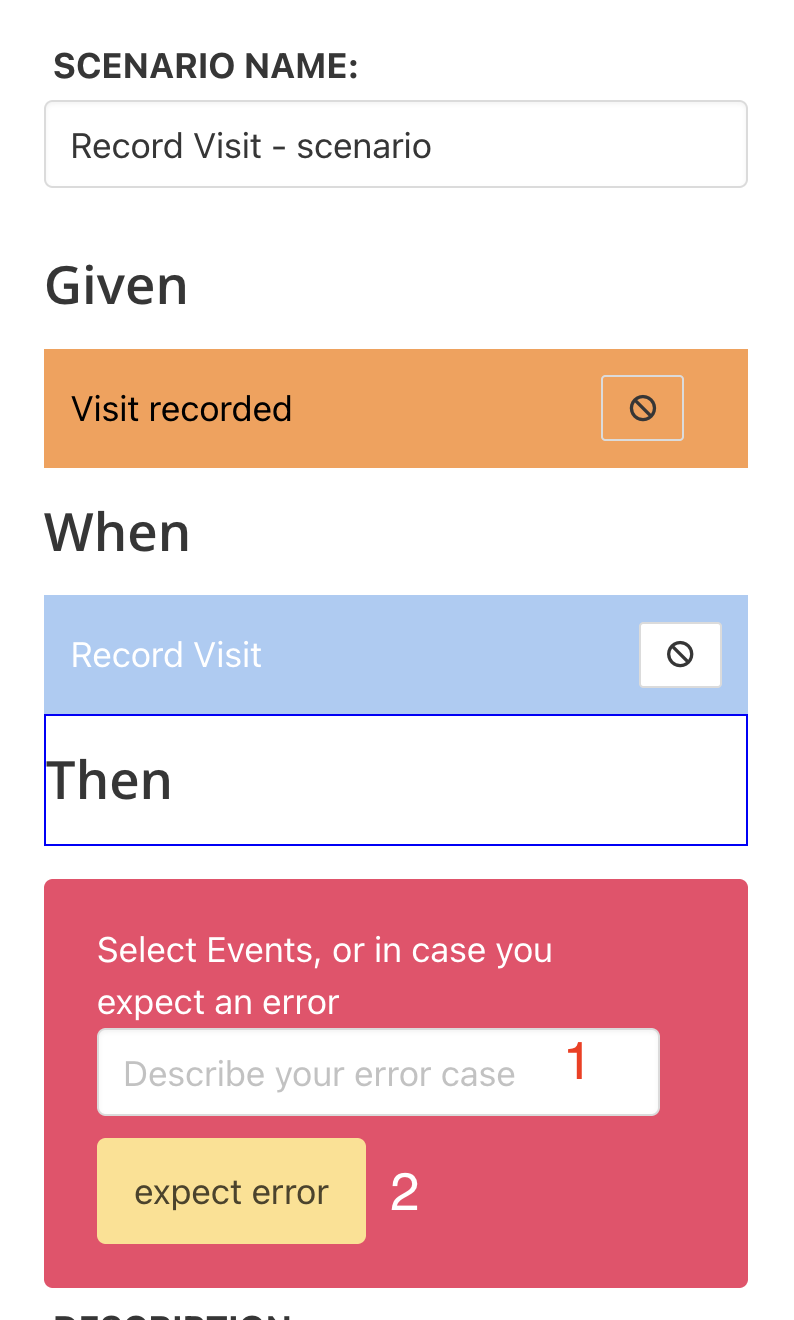
1) Provide an error description
2) Record the Error in THEN
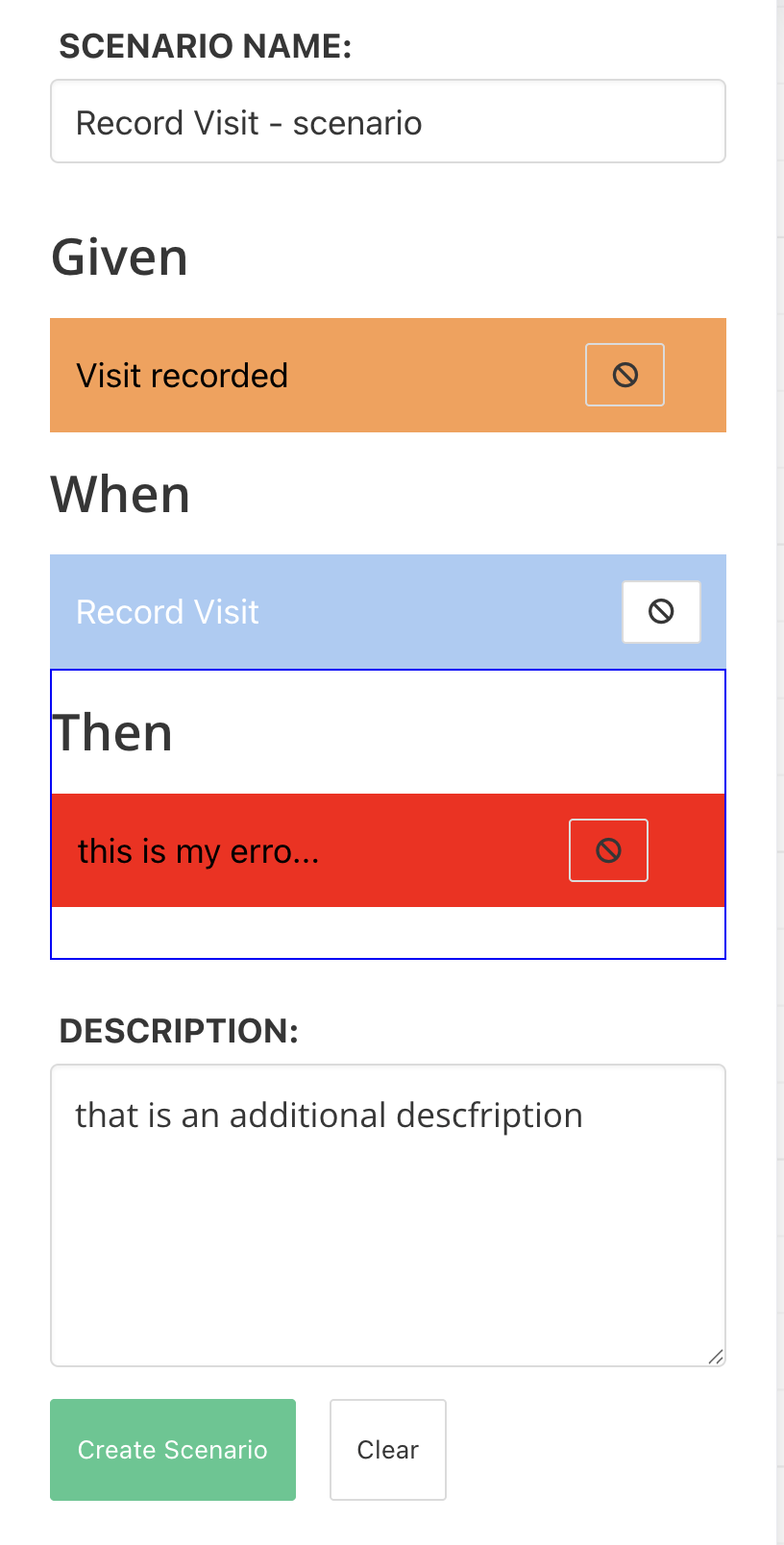
This scenario clearly explains when the system will reject a certain command.
Next Steps
- Slice View - Create and manage slices
- Data View - Edit element schemas and configurations
- Elements View - Working with elements