
The Complete Event Modeling Tutorial
Note: Right now most videos are in German, but will be translated to English in the upcoming days.
This is how we develop software systems today. Simple, maintainable, and without the typical microservice overhead.
In This Tutorial
You’ll learn for free how to model and develop complex information systems.
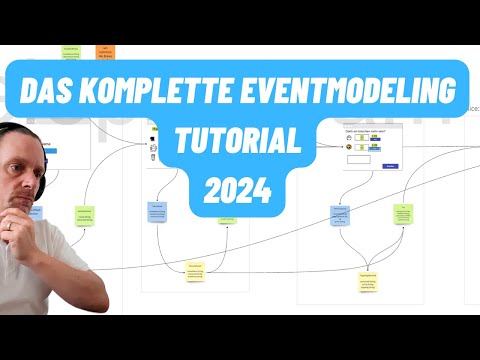
“I would never start a new system or microservice without Event Modeling. The time savings and the quality of requirements was previously not possible.” - Martin Dilger
Introduction
In this tutorial, we follow a fictional Scrum team during the planning & development of a new software system. The goal of the system is to enable self-service for customers in coffee shops. The customer should order via a digital interface and then pick up the finished coffee at the counter with as little waiting time as possible.
The challenge in development is (as always) the integration into the surrounding systems. We have an existing system (backoffice) that provides the product configurations. Additionally, integration of a payment provider is planned. The customer should ideally pay digitally. But first, we look at the requirements for our system in isolation.

To better understand the requirements and the system, Markus, the Scrum Master, suggests an Event Modeling Workshop. None of the developers have heard of this technique before. Markus heard about it from a well-known architect and only heard good things about it.
The workshop can be held completely remotely, so the team agrees to the experiment. The workshop starts the very next day. Markus was even able to bring in an external consultant at short notice to better coordinate the workshop.
Markus sends out an article about Event Modeling to each participant the same evening so everyone can prepare a bit for the workshop.
Collecting Events
In the workshop, they work with a simple Miro board. In the first step, the team collects all events. Not only the development team participates in the workshop, but on the consultant’s tip, everyone from the business side who has time at short notice.
In the video, you see the first part of the workshop
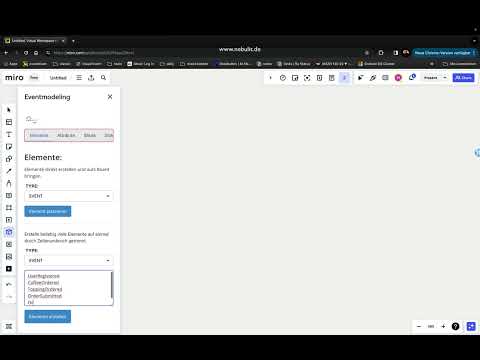
Creating the Event Model.
Through Event Modeling, the team divides the software into the smallest possible vertical functional blocks. We call these blocks “Slices”.

Slices consist of Commands (Blue), Events (Yellow), and Read Models (Reports) (Green). The team brings the first events into a rough order and directly defines the first slice for user registration.
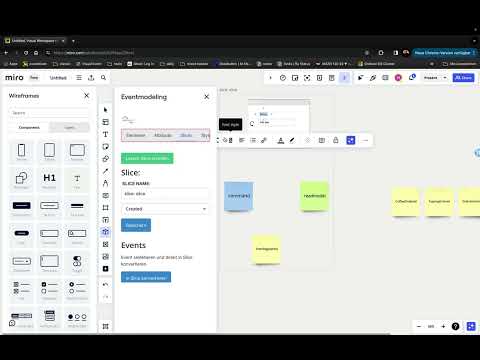
The first slice.
What amazes everyone - the workshop is extremely productive and exactly the right discussions are being held between the participants.
- What is the order of the events?
- What must be visible on the screen?
- What are the steps that must be done one after the other?
- Where does the data come from?
The team only needs 5 minutes to work productively. The format is almost self-explanatory.
Model Validation
What helps the team extremely is the real-time validation of the model. Erroneous or missing data is immediately marked in red. So it’s immediately clear which slice is finished and where more work needs to be done.
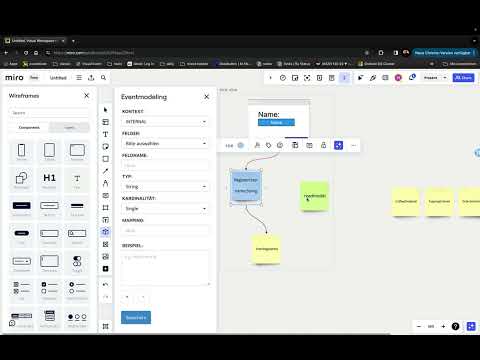
Model Validation.
In the workshop itself, questions keep coming up that the consultant answers briefly and concisely. Otherwise, they usually stay in the background and only ask questions when discussions stall.
One question that was asked several times, for example, is “How do we deal with generated values such as a SessionId?” You can see the consultant’s suggestion in the video.
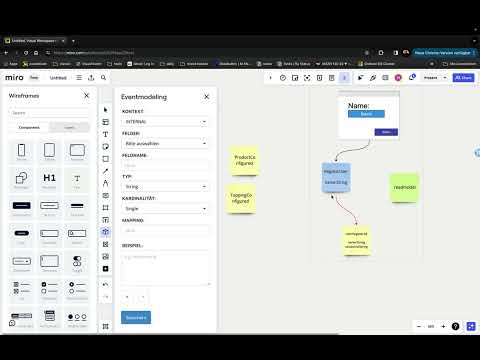
Generated Values.
The First Aha Moment
Read Models (or also Reports) are the way data is passed between slices. The Read Models are marked green in the Event Model. The data is populated from the previously stored events.
The first Aha moment
Here come the first real aha moments. Moritz, the architect, realizes at this moment what is really achieved through this type of modeling. The “Registration Slice” is a self-contained feature.
The team has defined clear input and output parameters for this feature. The feature could now already be implemented, since no unknown dependencies exist.
Through the modeling, the team has a built-in data completeness check. It cannot happen that data is accessed that is not available. There are no assumptions, only facts.
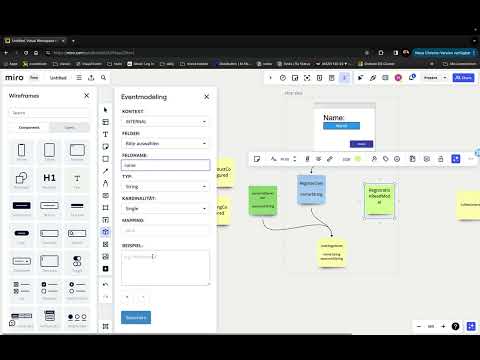
Read Model (Report).
The consultant repeatedly explains that every dynamic value must actually be visible from the screens in the slices. It should be clear to a developer at first glance where the dynamics in the screen are.

Dynamic Screens.
Subsequent Adjustment of Features
Jens, a participant and developer, asks an important question:
“Haven’t we forgotten something? Where does the title of the products come from?”
Everyone is briefly puzzled. In fact, no one has noticed this before. The model can of course be extended at any time without problems.
The change is usually limited to one slice. The team only has to ensure that the necessary data is available. The model validation helps enormously.
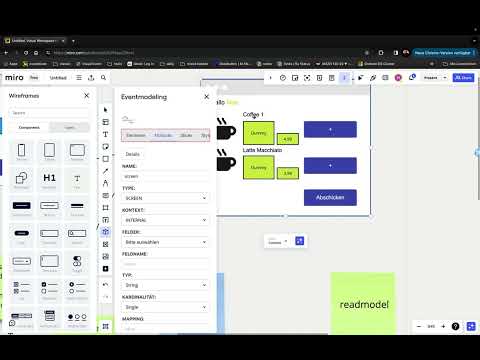
Screen Extension.
The team now goes through the individual slices step by step. Important discussions take place. Step by step, it becomes clear which data is needed at which step of the software.
The team never makes assumptions, but works solely on facts and data.
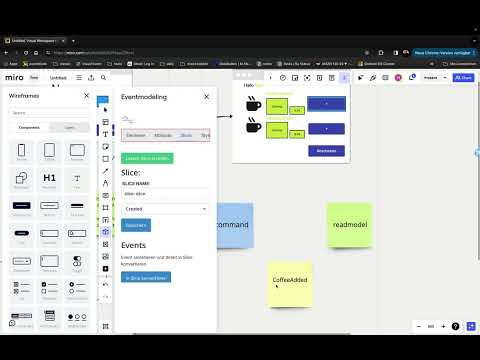
Commands & Events.
Creating the Order Screen
While part of the team is still defining the data for the events and commands, another part can already create the screen design for the next screen.
The work is completely parallelizable (here in the modeling, but also later in the implementation).
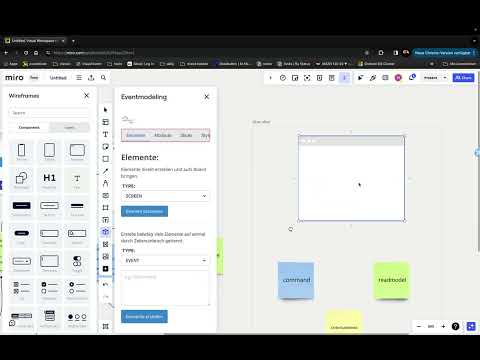
Order Screen.
Data from Different Events
For each slice, the team examines where the data is defined that is needed for implementation. The interface from the “backend” to the “screen” is the Read Model.
The model can easily be populated from different events. The data validation of the model ensures at all times that the slices are implementable. If the team has done everything right, the data for each slice is always available.
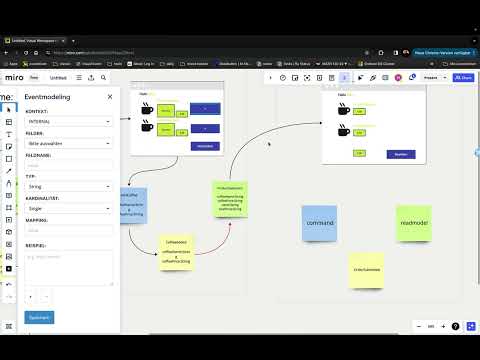
Order Page.
Lego Slices - The Last Feature for Now
Slices can be put together like Lego bricks. The team decides not to model the entire software at first. All participants agree on a set of slices that can be implemented in one sprint.
The team can continue with the modeling at any time without losing information.

Order Submit.
Swimlanes
In the last step, the team defines the first Swimlanes. Through Swimlanes, we get an assignment of events and data to the contexts of our software. Swimlanes correspond in Domain Driven Design roughly to the Bounded Contexts. A swimlane can represent its own service, a module, or just an independent business area.
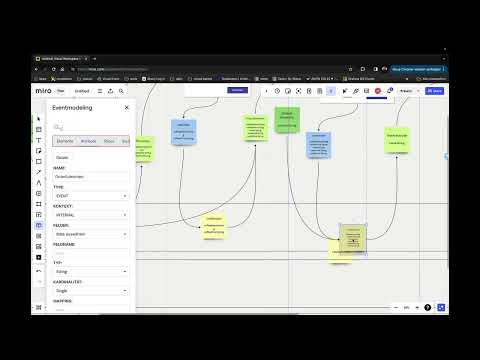
Swimlanes.
State View / State Change
Before we go into implementation, we now break down the slices into State View and State Changes.
This defines independent work packages that can be implemented in any order.
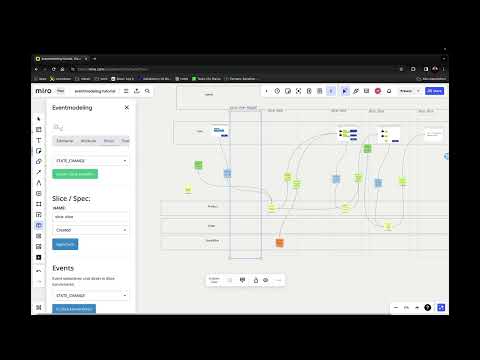
State View / State Change.
Why Does This Modern Way of Developing Software Work So Well?
You can learn about the background in this video:
What’s Next?
Use the Miro Tooling
The plugin helps you quickly model the important components of your software. It’s free to use.
Learn more about the Event Modeling Tooling.
Get Consulting
Let’s talk about your project. We help with planning and developing complex software systems with Event Modeling, with Event Sourcing, and with maximally flexible engagement.
Planning is Half the Software (or More)
Every system should be modeled before the first line of code. We conduct Event Modeling workshops and plan your system using all the tools from our toolkit.
Train Your Team
We offer trainings for your team:
- Event-based systems with Event Modeling, CQRS, and Event Sourcing
- Apache Kafka™ Kickstarter
- Git Professional Status for entire development teams
I would be happy if we could support your team with our expertise.