
Extending an existing Model with AI
Instead of modeling from scratch, it is also possible to extend an existing model with AI. For this, first jump to the Slice View and open the AI Mode.
Attention - the Slice has to be connected to a Context.
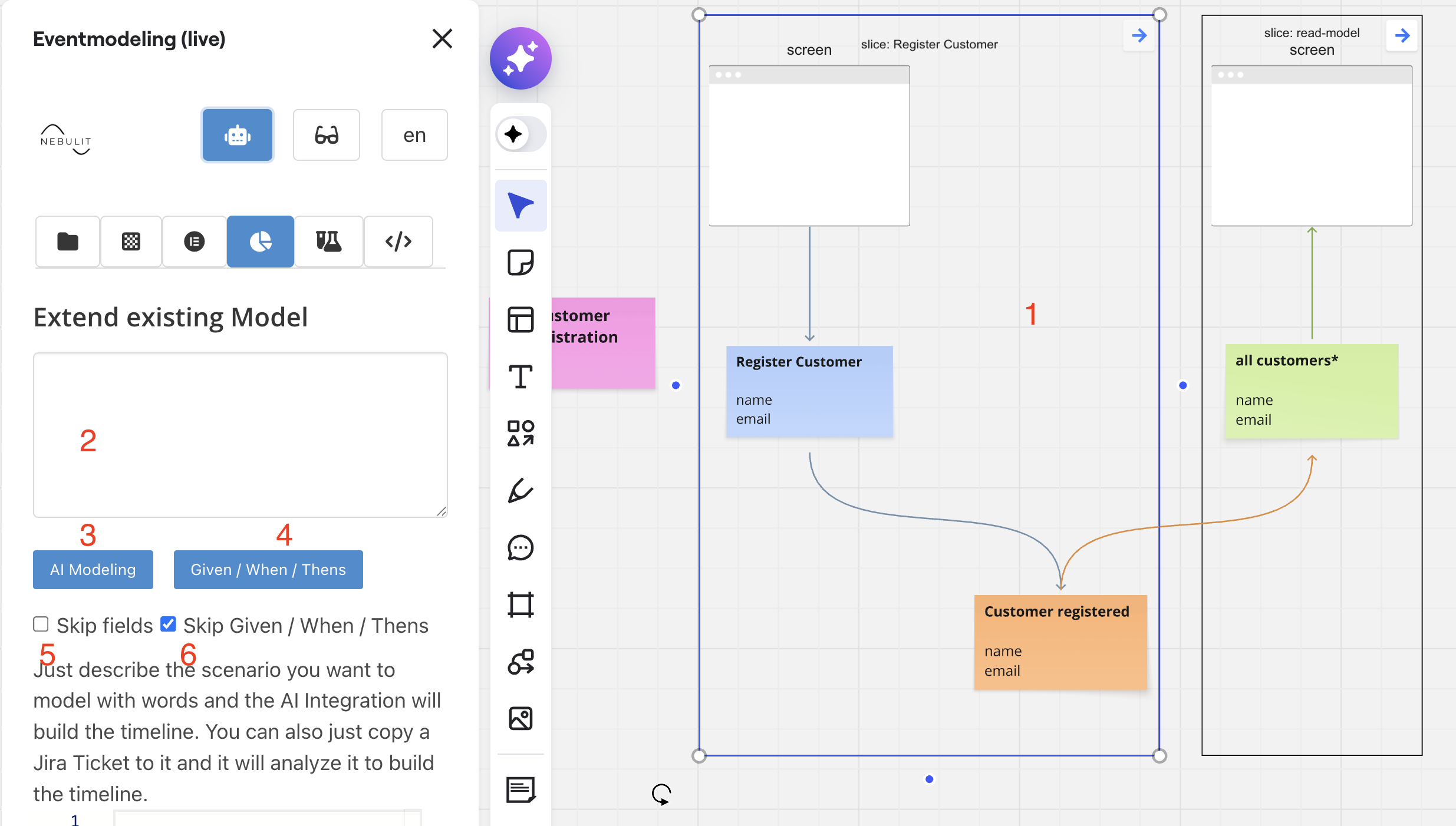
1) Select a Slice connected to a Context
2) Prompt
3) extend the existing Model ( the selected Slice is the base ) with the Prompt
4) Define Given / When / Thens for the selected slice based on the prompt
5) Skip Fields - Just define Elements
6) Skip Given / When / Thens ( only appplies for defining new Slices )
There are two typical use cases. Extend the Model with new Slices or define Given / When / Thens for existing Slices.
Defining new Slices
Provide the Prompt and start the Generation Process.
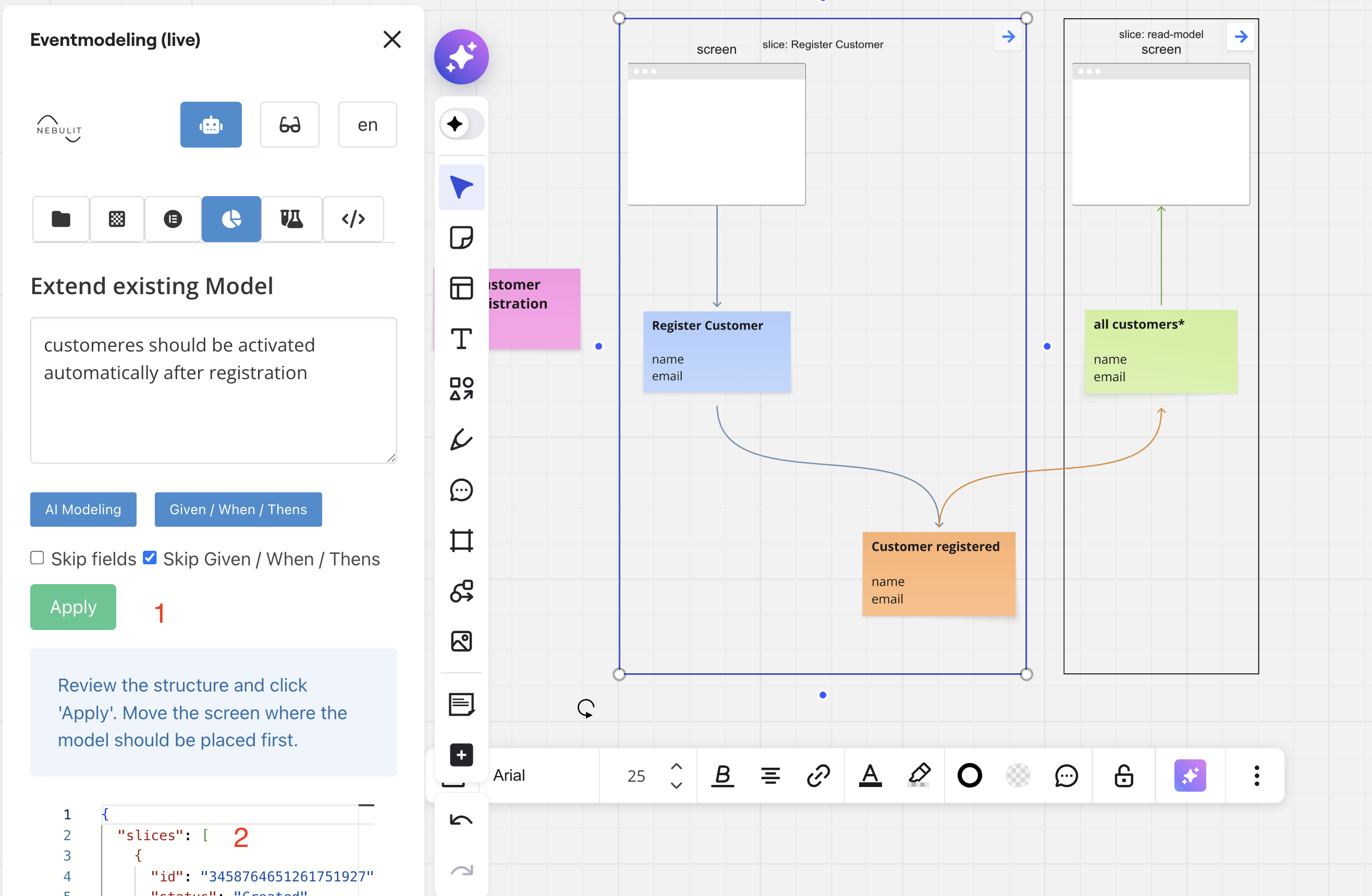
AI will generate the JSON Output. You can review the JSON and then Apply.
1) Review the JSON
2) Apply
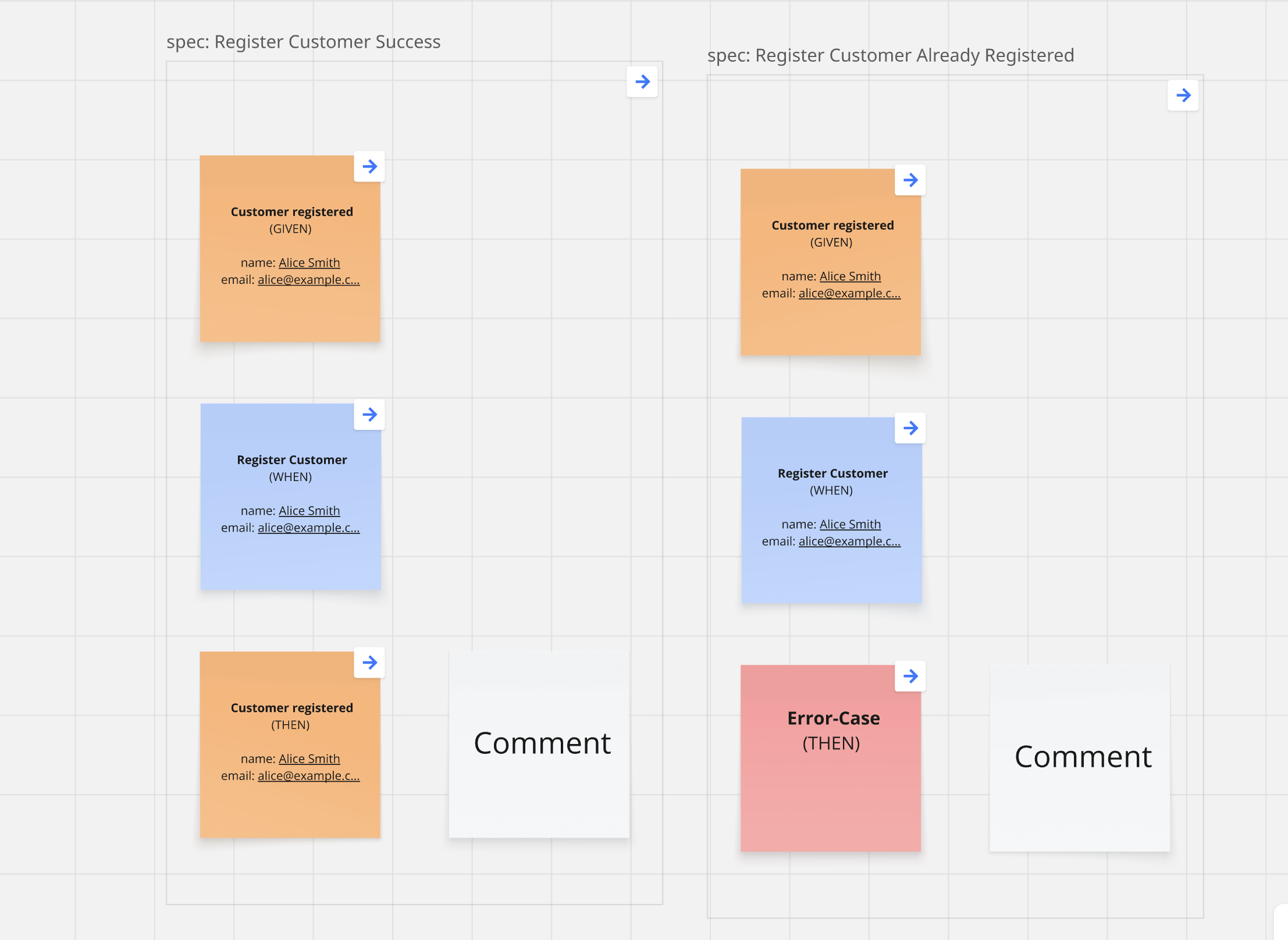
Defining Given / When / Thens
You can generate Given / When / Thens for an existing Slice, given the business rules in the Prompt.
Next Steps
- Forecasting - Slice Based Forecasting