Hello Event-Modeler!
This was issue #31 of the Event Modeling & Event Sourcing Newsletter.
I say it all the time, any system can be visualized ( and understood ) by using Event Modeling.
Let´s go through one complete example for a Library, Step by Step.
First, we just think about all the things that could happen in the system. We don´t talk about Technoloty, Infrastructure or anything else - just pure facts that could happen.
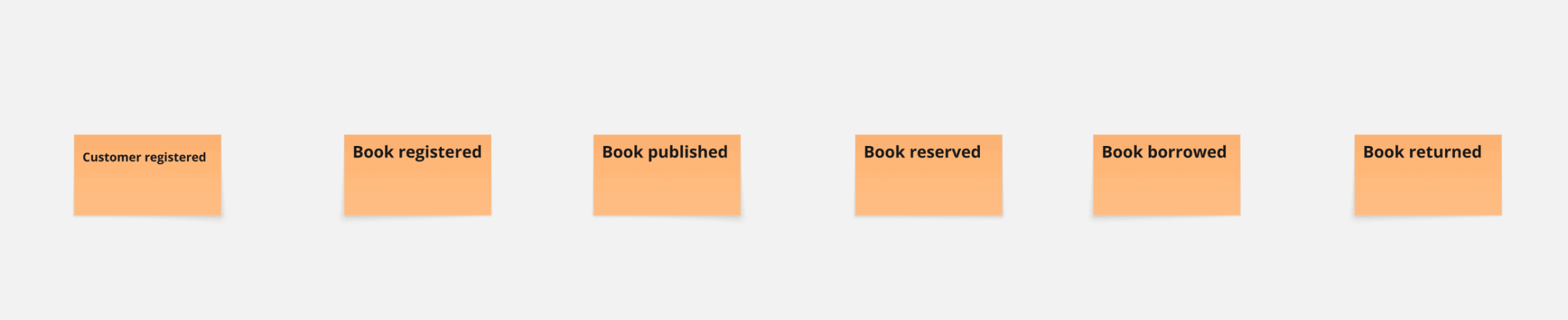
Event Modeling is all about information flow, you don´t need Aggregates, Objects and Streams at this point in time. An Event is just something that happened.
Now, Events carry information.

The process is easy to understand, customers should be able to borrow books and return them. Of course, there might be more processes - what about late returns? what about notifications? what about penalty fees? what about lost books?
These all are processes we need to talk about, but for now, we just want to understand, how a customer can borrow and return books. One thing at a time.
Now that we know, “what” happens in the system and which information is necessary for that, we can think about the next step.
How does this information get into the system?
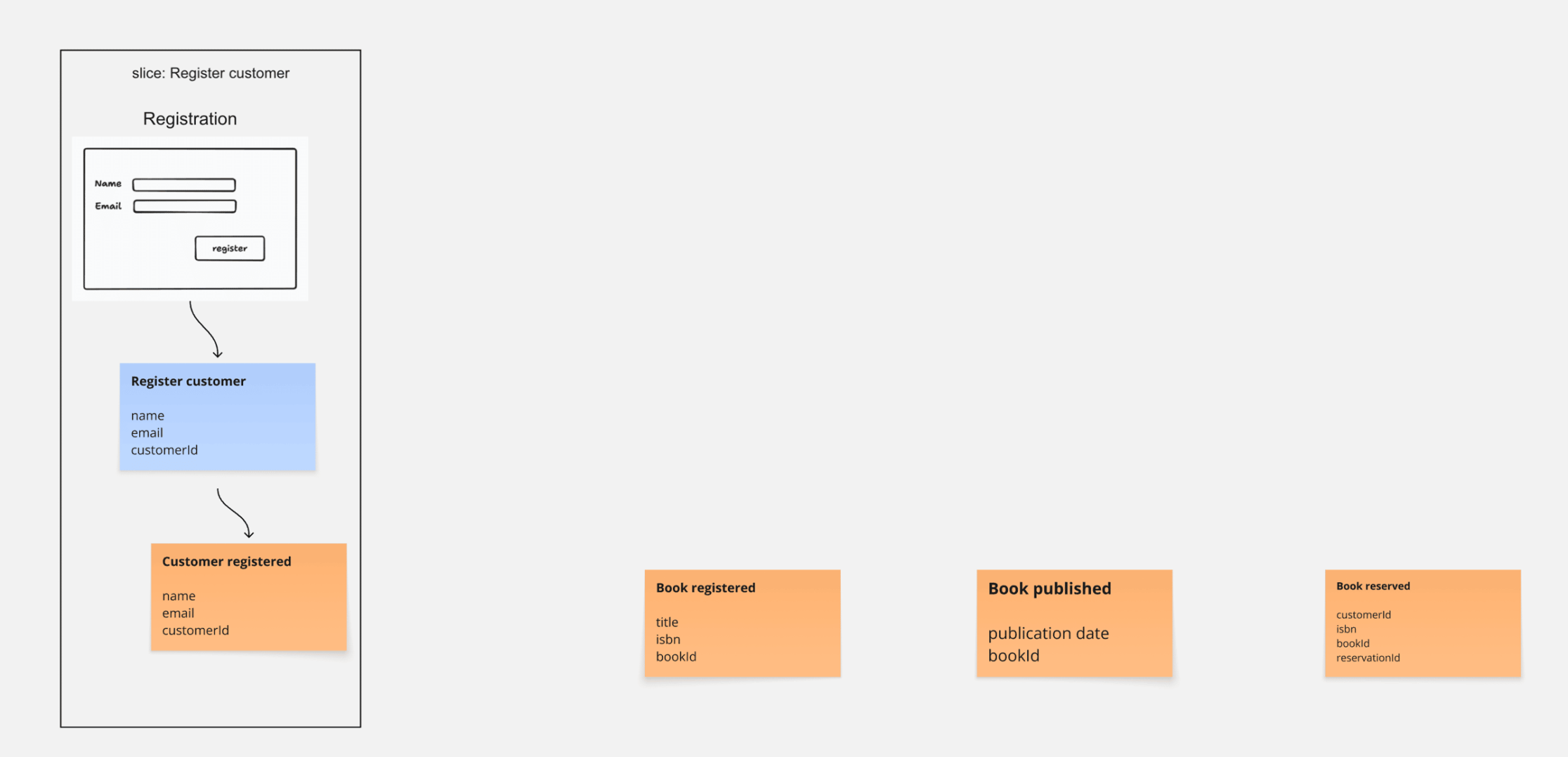
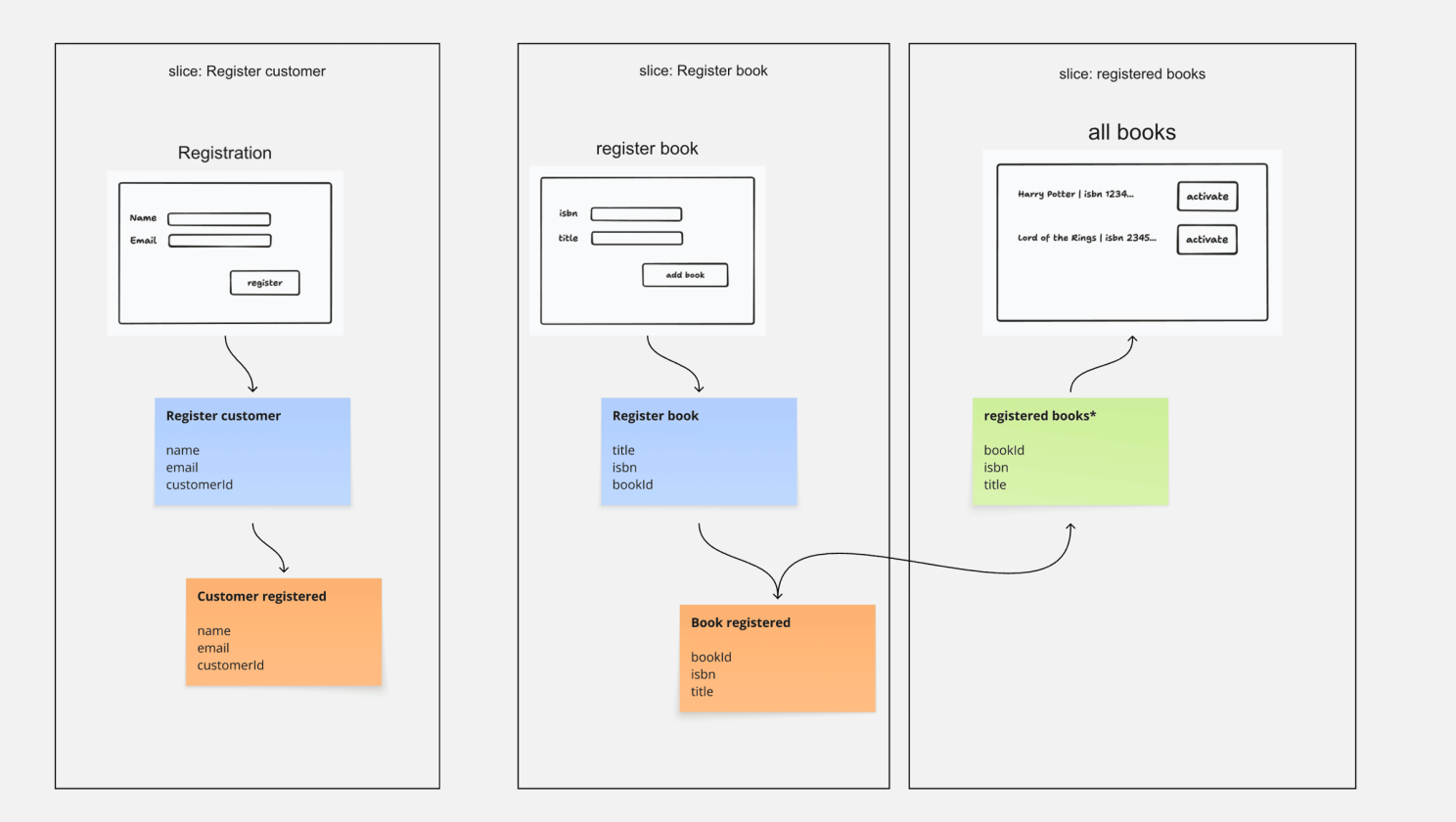
How is a customer registered?
We could imagine a simple Screen with two input fields, right?
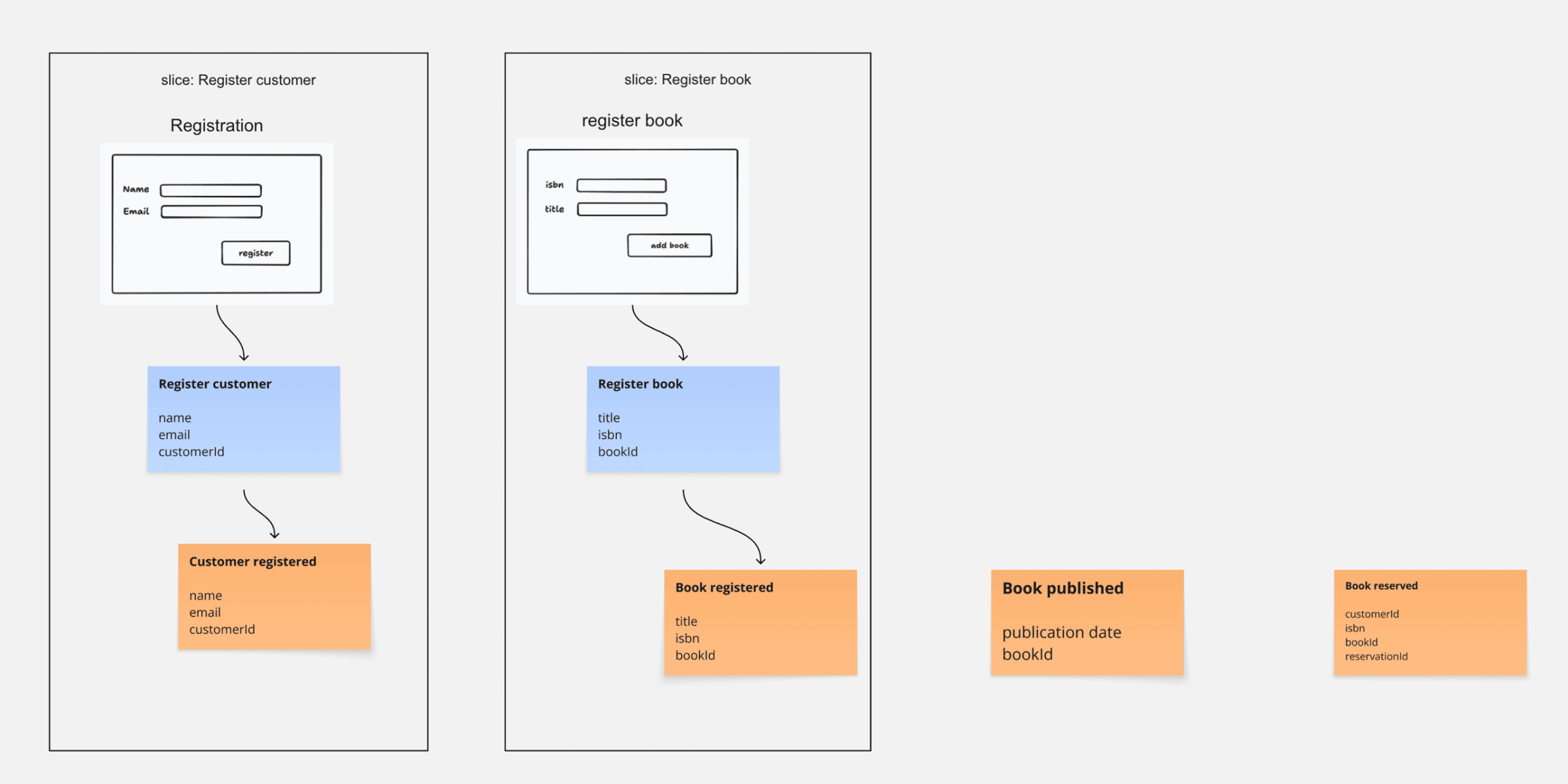
Same exercise for the book - how do Books get into the system? I´m looking at the “Book registered” Event now.
We could imagine a simple UI, where an Administrator can register new books that are available for borrowing.
And now, since we have these books in the system, obviously they need to get activated. How does that happen? Also something an administrator would do.
So we have this list of registered books, and they can be activated one after the other.
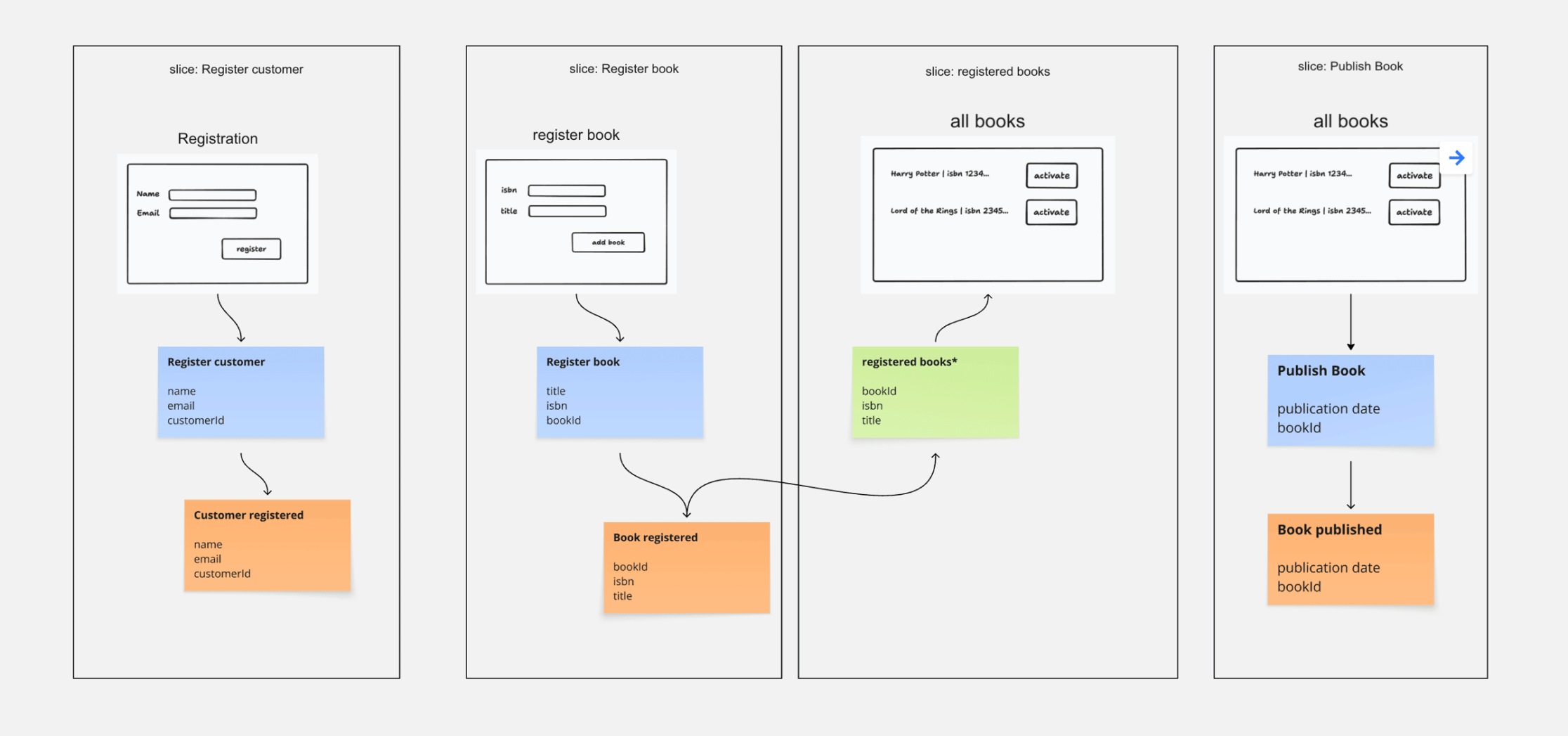
So what happens, if the Administrator now clicks on this button? The book gets published.
Only published books are available for Borrowing. They are listed on our Libraries Page.
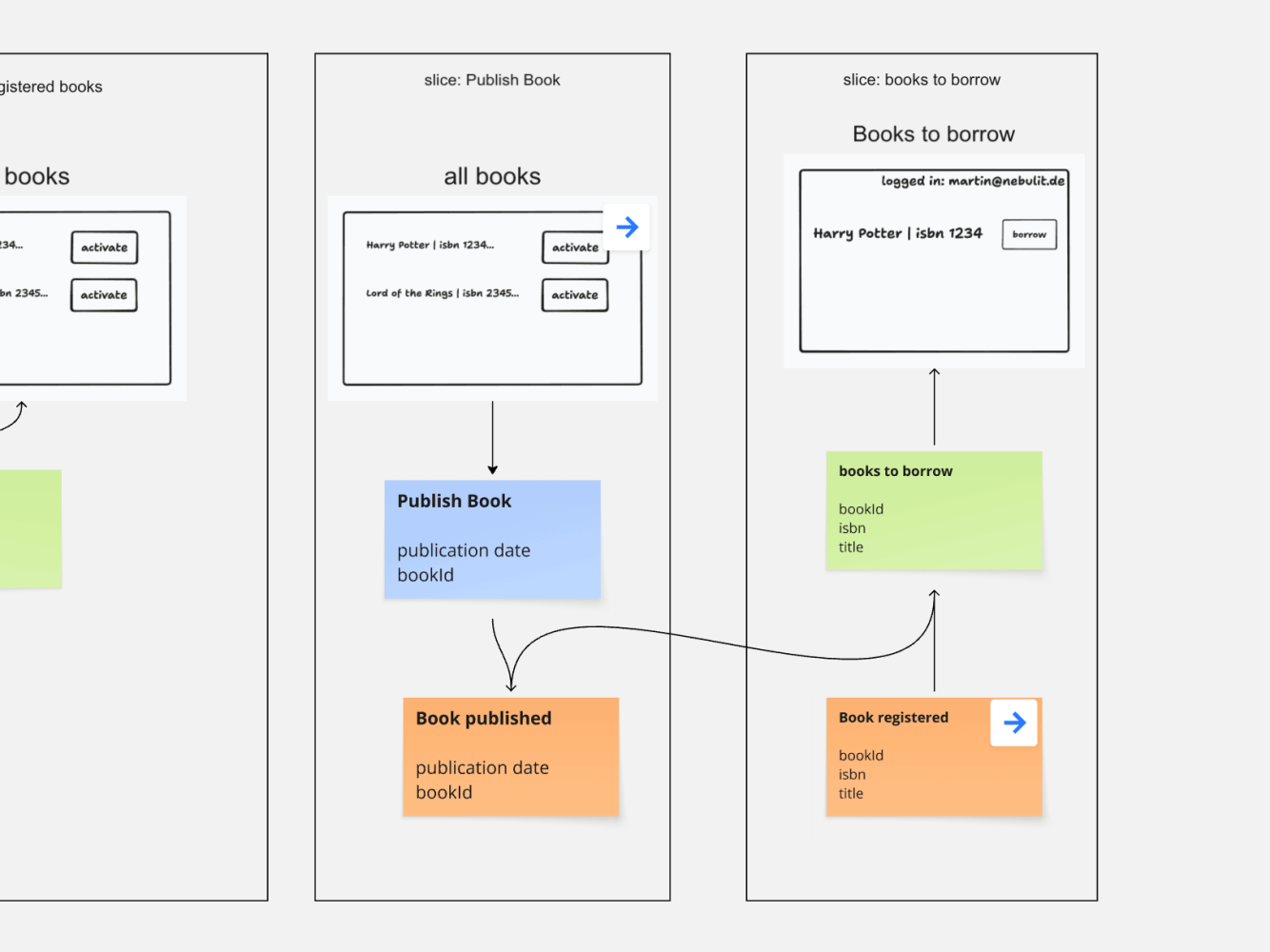
To display the list of books available to borrow, we need to know the information from “Book registered” and of course “Book published”. We also see something like a “Logged in”-status. The whole login flow is something we need to talk about, but it´s not important to our borrowing process.
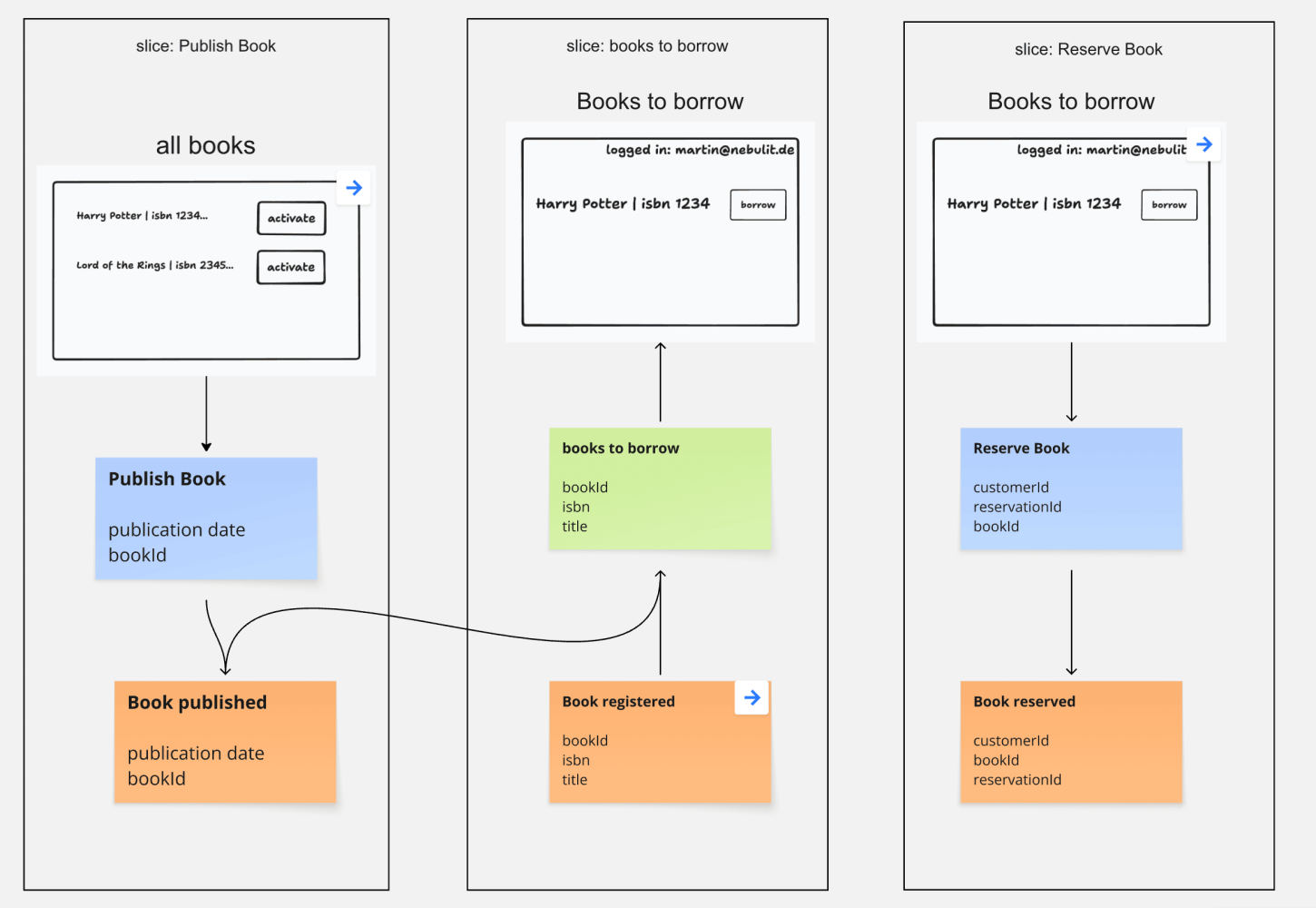
Now the next thing that happens, a Customer gets into the physical library and picks up the book which is already prepared.
We could imagine that the customer gets into the Library, shows the Personal-Id, a Clerk scans the book and hands it out. The whole process of scanning is happening automatically ( visualized using the gear symbol ). We might miss some steps here, that´s something we would need to discuss further.
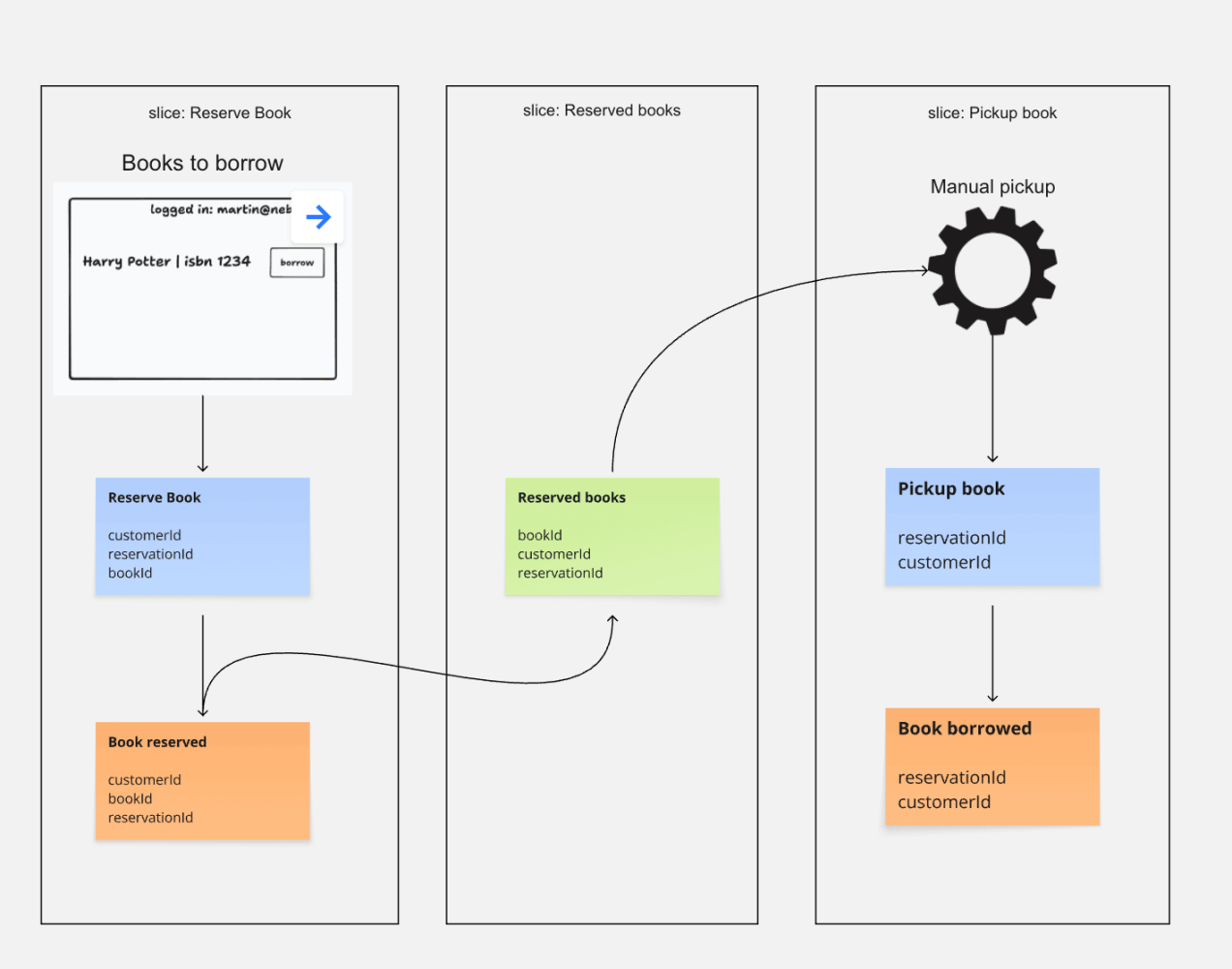
We just model what happens, one step ( or better “Slice” ) after the other.
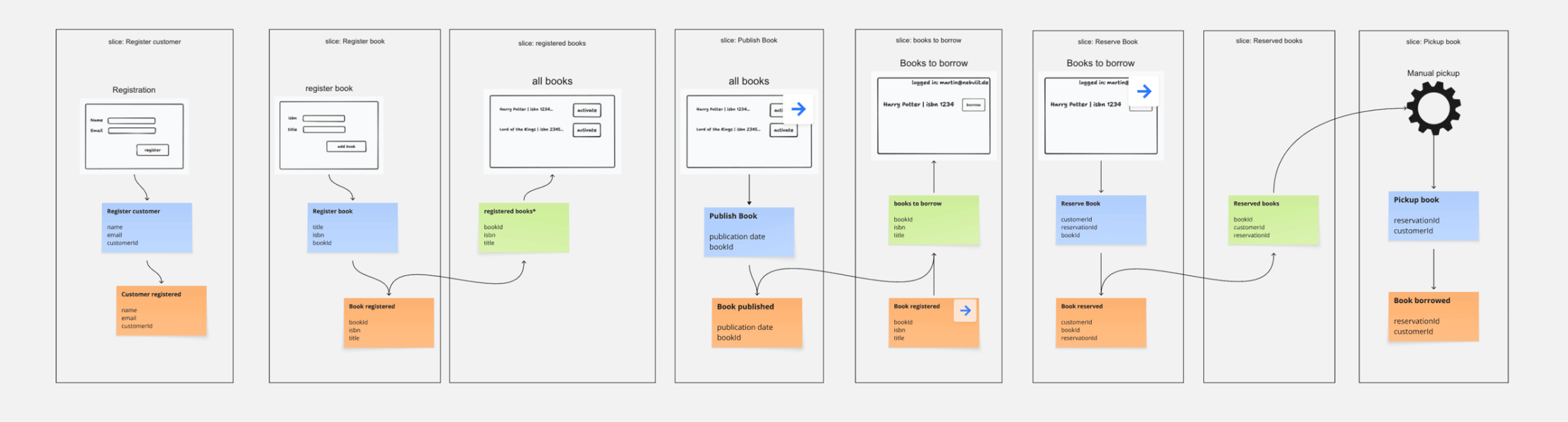
Want to see this model in action? In this Video you see how I use the RTP ( Real Time Prototyping ) in the Miro Event Modeling Toolkit to bring it to life.
This is how you walk through a system step by step to understand the processes in depth.
Do you think this might be helpful to your Teams? I´d be surprised if not.
If you are currently in the process of evaluating Event Modeling, I have this new offer “CTO Call” that is available here. I might save you some time in the evaluation.
The Tooling used to model the System and also run the Prototype is the Event Modeling Toolkit for Miro
Have a nice week!
Best regards,
Martin
Ready to Learn More?
My book “Understanding Eventsourcing” gives you the blueprint. But reading alone will take your team too long.
I can teach your team how to build these blueprints faster and skip the whole trial-and-error phase. Let’s have a chat about how this applies to your project.
Want to learn how to apply Event Modeling and Event Sourcing in practice?
Follow the Online Course “Implementing Eventsourcing” - comes with a Lifetime Event Modeling Toolkit License.