I believe we’re standing at a huge opportunity to improve how we think, communicate, and work on software systems. For me, it all comes down to one word: collaboration — and this is even more crucial in the age of AI and agentic systems.
Working with AI is, at its core, collaboration. The same principles that make human collaboration effective also apply when working with AI. Explaining a task to a junior developer isn’t fundamentally different from explaining it to the latest LLM. In both cases, clarity is the key. If you can’t clearly define your expectations, how can you expect anyone - human or machine - to deliver something useful?
Collaboration Paves the Road
Here’s what I mean by collaboration: “the action of working with someone / something to produce something.”
That definition applies to any software project. And let’s be honest: most projects don’t fail because of technology, complexity, or even a lack of resources (human or AI). They fail because we don’t truly understand the problem we’re trying to solve.
“Just write better prompts” — that only gets you so far. Even the most detailed prompt won’t help if you’re solving the wrong problem. In fact, it makes things worse, because you’re just going faster in the wrong direction.
In most projects, we rush into the solution space far too early, convinced we’ve understood the problem - only to realize weeks later that we were completely off track. Again.
True collaboration flips this around. We invest more time up front to save enormous time and pain later. Think about what happens when business experts and developers sit at the same table, in the same room, ideally face to face, and talk for just an hour. That’s when the magic happens.
Collaboration in the Age of AI
I’ve never been a fan of the term “Prompt Engineering.” Yes, how you phrase things matters. Yes, structure and context improve results. But the real goal isn’t to engineer prompts — it’s to engineer understanding.
What if the context didn’t need to be embedded in the prompt, because it was already clear from the system design itself? What if the upfront collaboration provided all the structure the AI needs, so the “prompt” could simply be: Go!
Here’s my typical approach. Take a simple ticketing system: users can buy tickets. We describe the behavior using Given / When / Then:
GIVEN: the user has not bought any tickets (nothing happened yet). WHEN: the user purchases a ticket. THEN: the ticket is recorded as purchased.
That’s collaboration at work — clear, shared understanding before we write a single line of code or prompt.
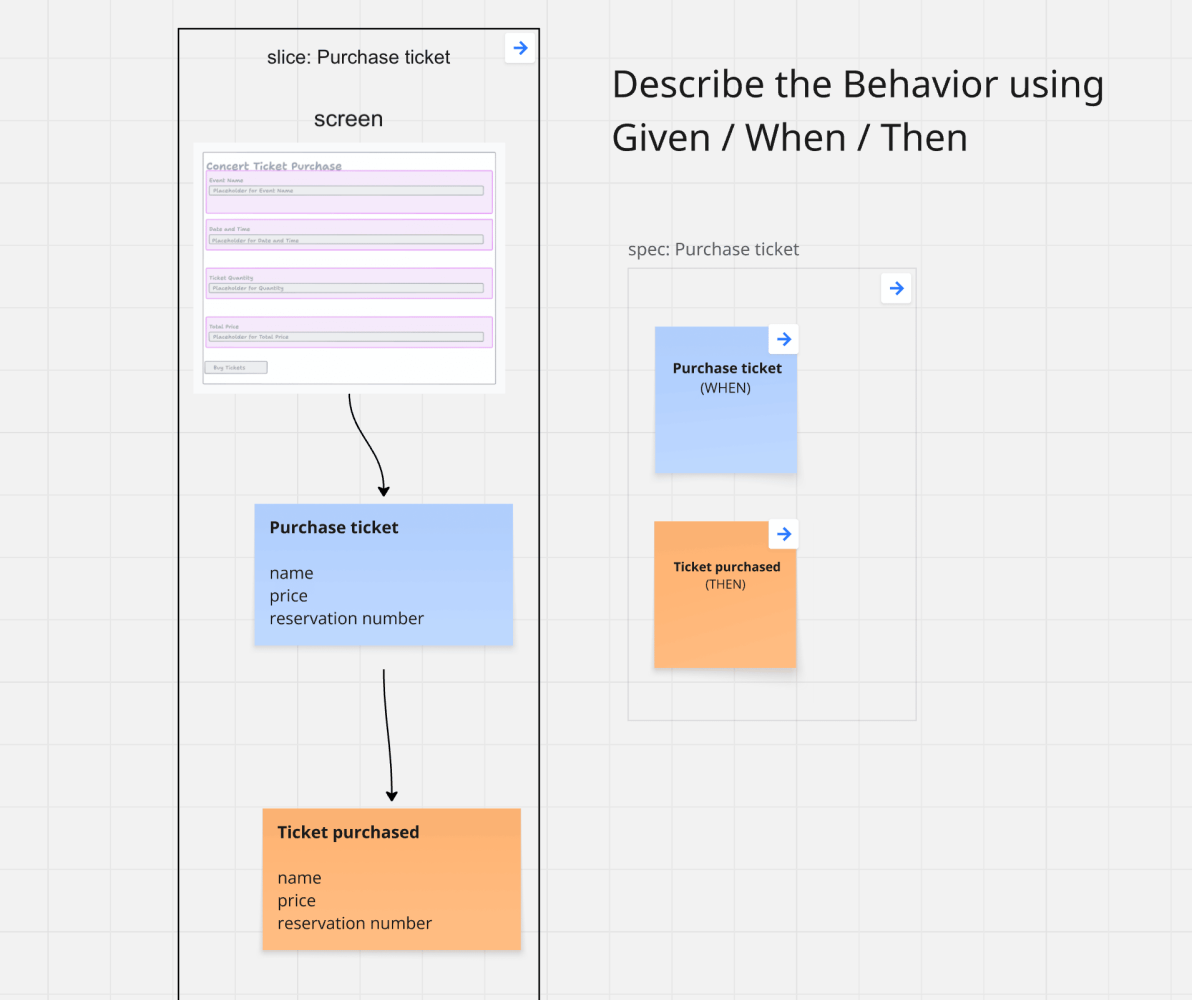
That example is simple enough - you don’t need special prompts or custom-trained models to handle it. Things get interesting once you start adding business rules (which always happens).
Take this rule: “A user can only purchase 4 tickets for a concert, unless the user has gold status.”
For a business person, that’s immediately clear. They know exactly what “ticket for a concert” means in their context. But when it comes to implementation, you need much more detail.
- Is the limit tied to an email address, a passport number, or something else?
- What happens if a ticket is canceled — can the user buy again?
- If the user has gold status, does that mean there’s no limit at all?
- What if a gold member gets downgraded?
- What if they already hold more than 4 tickets at that point?
Question after question after question… and someone has to ask them - no answers without questions. Without those answers, a developer (or worse, an AI) will start filling in the gaps and making assumptions ( which is just another term for hallucination )
The solution is to capture the answers clearly - each one expressed as Given / When / Then.
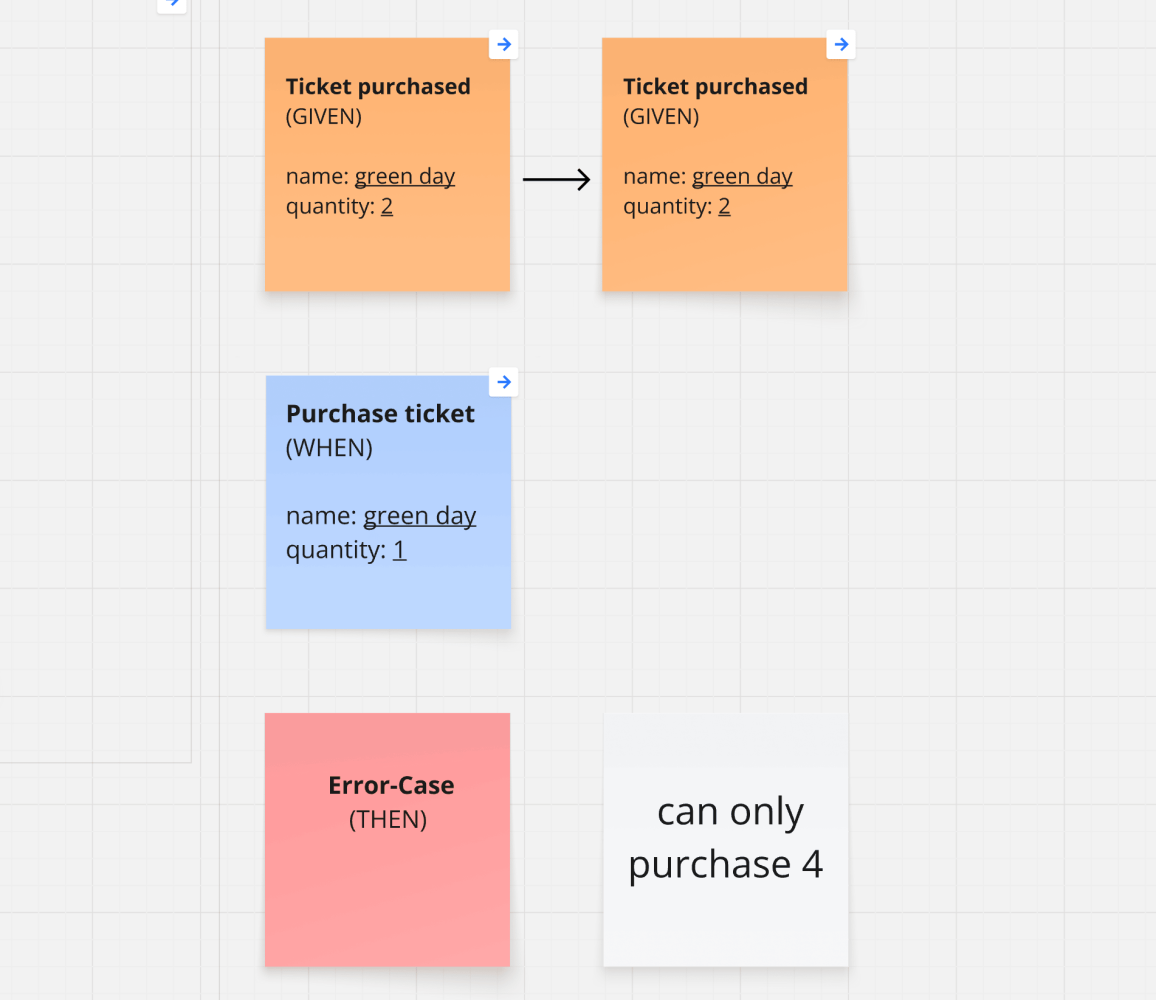
And the best part? You can literally ask the AI whether it understood everything. Use this as a smoke test - it’s like being able to chat with your requirements.
If the AI’s response is vague or unclear, that’s a signal: go back and refine your scenarios until they’re precise.
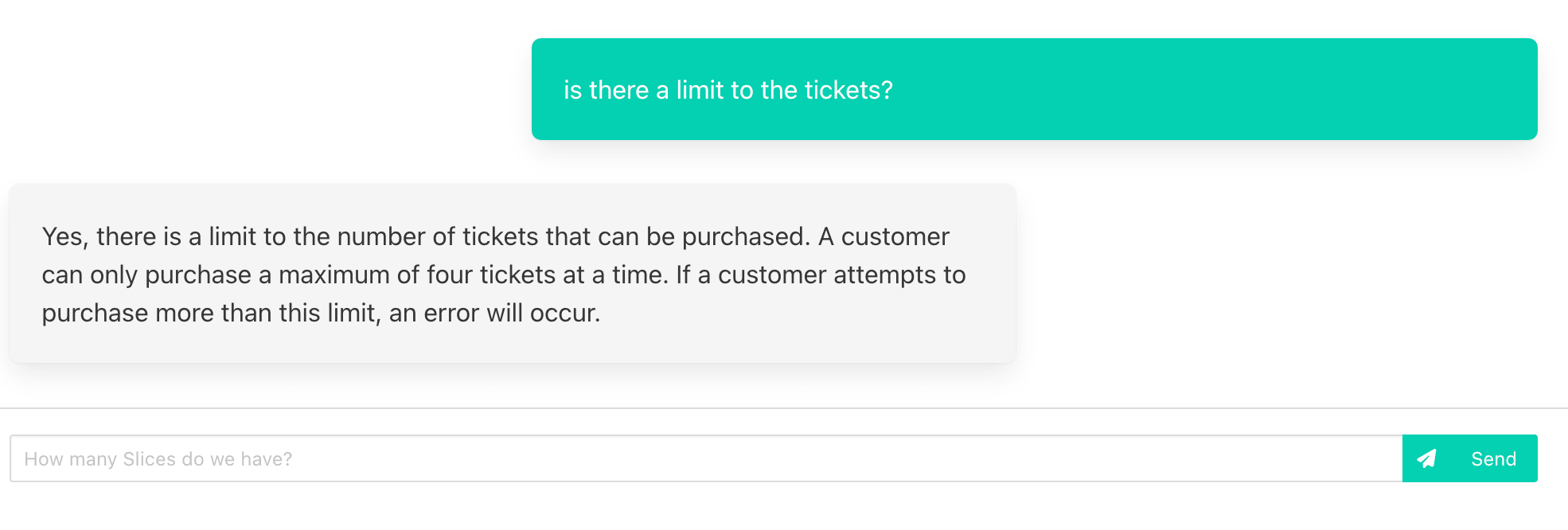
It’s exactly the same when you talk with a junior developer. The simplest way to prevent most mistakes is to ask them to repeat what they understood in their own words. (And honestly, this isn’t just for juniors - it’s one of the most powerful communication tools in general. I use it all the time )
If they can explain it clearly: great, they got it. If their answer is hesitant or vague: better to discuss again.
1 + 1 = 3
So, back to the future of software — what does all this have to do with it? It’s all about clarity in your requirements.
The clearer you make the What -
- What should the system do?
- What should happen?
- What should be implemented?
the less likely you’ll face nasty surprises.
The challenge is that most teams understand this in theory but don’t know how to apply it in practice.
- How do you actually improve communication?
- How do you make sure requirements are truly understood?
- How do you prevent hallucinations in the first place?
- How do you integrate AI into your process while keeping the guardrails tight enough so it doesn’t go off track?
Here’s the good news: you already have everything you need. Given / When / Then scenarios, created through meaningful collaboration, are the perfect specification tool.
Instead of writing long, detailed prompts, I simply generate the GWTs directly into the code as input for the AI.
Here’s an example: I generate the Given / When / Then into code with an AI-TODO hint. 👉 Code Example on GitHub
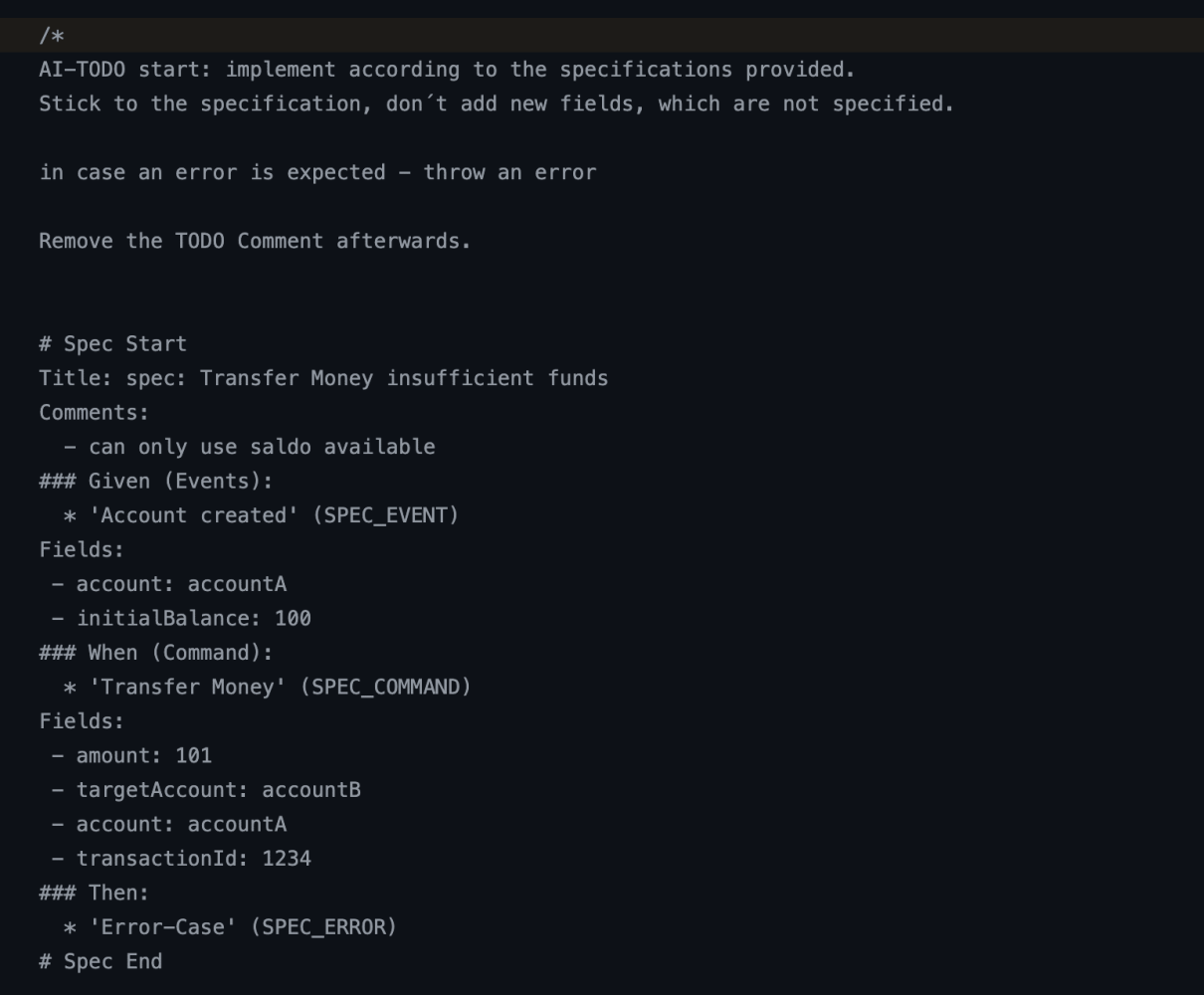
In your rules file or prompt, simply tell the system to process these comments.
On top of that, I also generate running test cases from the Given / When / Thens. These serve as a guardrail for the AI: it only needs to iterate on the implementation until the specification is met and all tests turn green. No hallucinations, no detailed prompts, no interpretation on your prompts - just plain business rules. Facts.
Your prompt can now be as simple as: “implement slice xxxx”
The system will look up the slice folder, check for AI-TODO comments, and do exactly what it needs to.
You don’t need to be a perfect prompt engineer. It’s far more valuable to be a perfect requirements engineer.
Bringing these tools together creates a powerful combination — one that lets you iterate at lightning speed.
The Right Tools — How to Get Started
- Learn the principles of Event Modeling - grab the book ( and if you want to speed things up, also the course )
- Get proficient with the Miro Toolkit. There’s a free course that covers everything. Just comment “Course” to get free access.
- Experiment with code generators. Learn how to build your own. (If you haven’t already, there’s a free 8-day email course you can join — just subscribe here.)
- Spread the word - if you think there is something to it. Spread the word, tell people about Event Modeling, tell them about Slices. Let them know! Share this article, give it a like and let´s discuss in the comments.
Want to stay ahead of the curve? Start using the right tools and get crystal clear about the What. It will make your software projects smoother - and, honestly, it helps in life too.
P.S. If you’re in Germany, I’m running a two-day Event Modeling Workshop on September 17/18 — the perfect way to get started.
Ready to Learn More?
My book “Understanding Eventsourcing” gives you the blueprint. But reading alone will take your team too long.
I can teach your team how to build these blueprints faster and skip the whole trial-and-error phase. Let’s have a chat about how this applies to your project.
Want to learn how to apply Event Modeling and Event Sourcing in practice?
Follow the Online Course “Implementing Eventsourcing” - comes with a Lifetime Event Modeling Toolkit License.